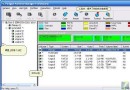
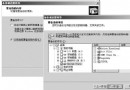
承接上篇命令列介紹,本文詳細說明 WinDiff 圖形介面 (GUI) 各選單功能、操作流程、比較結果解讀與大綱/展開模式切換技巧。
%p=路徑、%l=行號;記事本需 notepad %p 或 s %p -#%lwindiff c:\temp d:\progsnew .myfile.txt identical .hisfile.txt files differ .newestmyfile.txt only in C:TEMP .newestx.x only in D:PROGSNEW .oldestfile identical
| 指示語句 | 含義 |
|---|---|
| Identical | 兩檔案完全相同 |
| Files Differ / Different Sizes | 檔案不同,可能含空白差異 |
| Only In <路徑> | 僅存在於指定路徑 |
| Files Differ? (Left Unreadable) | 左側檔案路徑正確但不可讀 (權限/網路錯誤) |
| Files Differ? (Right Unreadable) | 右側檔案不可讀,左側正常 |
| Unreadable files are treated differently | 不可讀部分視為差異,展開模式紅底突顯 |
善用選項選單過濾指示語句,可專注關注的差異類型;但關閉主要指示而開啟輔助指示易造成混淆。