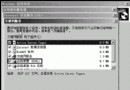
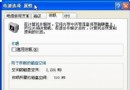
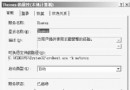
在安裝 Windows Server 2003 時,系統不再提示單獨安裝終端服務,而是預設安裝該服務,僅允許管理員選擇啟用或禁用遠端連線。這與 Windows 2000 的安裝方式有所不同。安裝過程中會出現兩個主要選項:
此設計為預設行為。此外,「我的電腦」屬性新增「遠端」索引標籤,透過允許或禁止遠端桌面連線,直接控制終端服務的啟用與停用。
在無人值守安裝期間,應答檔案中的相關項目已更新:
TerminalServer=ON|OFFAllowConnections=1|0LicensingMode = PerDevice | PerSession
LicensingMode = PerSession更多詳細資訊請參閱「Windows Server 2003 線上說明」中的「終端服務授權」主題。
Windows 2000 秘密武器:Browstat.exe 瀏覽器服務狀態診斷工具詳解
使用 Windows Server 2003 架設中小型企業郵件伺服器 (POP3 + SMTP 完整實作)
Windows XP/Server 2003 預讀取功能優化與維護指南
Windows 2000 系統選項配置全攻略:用戶設定檔、記憶體與環境變數詳細設定
Windows 2000 環境下 ADSL 共享上網完整設定教學(單機與區域網路)
Windows 2000 Server 打造中小型共享上網局域網全攻略