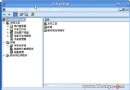
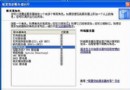
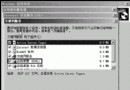
透過 msconfig 停用 SYSTEM.INI、WIN.INI、系統服務,僅保留「載入啟動項目」,測試第三方軟體是否導致開機問題。
msconfig → 一般 → 選擇性啟動。若正常,說明問題在系統服務或 INI 檔;若仍異常,問題在啟動項目程式,再逐一停用定位。
Windows 2000/XP 進程工作集深度解析:MMSUPPORT 結構、MMWSL 哈希表與 WinDbg 除錯實戰
Windows 2000 磁碟管理概述:動態儲存、本地/遠端管理、簡化介面、磁碟路徑掛載、基本/動態磁碟差異
Windows 2000 Server 帳號安全設定技巧:禁止列舉與強化認證
Windows 2000 Server 十大高風險服務:安全隱患與停用建議
Windows 2000 秘密武器:Filever.exe 檔案版本查看工具實戰指南
Windows Server 2008 資料安全架構:IPSec、NTFS、BitLocker、TDE 多層防護
Windows Server 2003 關閉 NetBIOS over TCP/IP 配置指南:適用條件與潛在影響完整分析