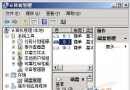
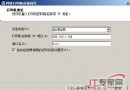
regedit 開啟登錄編輯器。PortNumber (選擇十進位) 為新埠號 25608:HKEY_LOCAL_MACHINE\SYSTEM\CurrentControlSet\Control\Terminal Server\Wds\rdpwd\Tds\tcpHKEY_LOCAL_MACHINE\SYSTEM\CurrentControlSet\Control\Terminal Server\WinStations\RDP-TcpWindows 防火牆 → 進階設定 → 輸入規則 → 新增規則 → 連接埠 → TCP → 特定本機連接埠 25608 → 允許連線 → 全設定檔 → 命名「RDP Custom Port」。
IP:25608 或 hostname:25608 即可正常登入。注意:修改埠號僅為安全遮蔽,無法替代強密碼、NLA、IP 限制等核心防護措施。
高效管理 Windows Server 2008 磁碟區陰影複製:vssadmin 指令實戰
Windows Server 2008 使用 Diskpart 命令列管理磁碟(列出、選取、建立分區、RAID、指令碼自動化)
Windows Server 2008 實用設定技巧:IE ESC、無線網卡、無線服務啟用全攻略
新品分析:Windows Server 2008 Foundation 版本深度解析
Windows Server 2008 搭建終端服務器完整部署指南
部署 Windows Server 2008 網域防火牆策略 強化網域安全