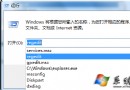
當命令提示符提示「ping 不是內部或外部命令」時,通常是系統 PATH 環境變量缺少 %SystemRoot%\System32 路徑導致。請依以下步驟排查修復:
Path,點擊編輯。%SystemRoot%\System32;%SystemRoot%;%SystemRoot%\System32\Wbem 等核心路徑。若缺失,請以分號 ; 分隔追加。Path,同樣檢查並補全。示例正確的 Path 值:
Path=%SystemRoot%\System32;%SystemRoot%;%SystemRoot%\System32\Wbem;C:\Program Files\Microsoft Network Monitor 3\;...
若仍無效,可嘗試清空 Path 後逐項添加核心路徑測試,確認是否為某第三方路徑導致衝突。