Windows XP Windows 7 Windows 2003 Windows Vista Windows 綜合教學 Linux 系統教學
Windows 10 Windows 8 Windows 2008 Windows NT Windows Server 電腦軟體教學
您现在的位置: Windows教程網 >> Windows教程 >  >> Windows 綜合教學 >> 關於 Windows

Windows XP/7/8 顯示副檔名:資料夾選項/檢視索引標籤一鍵開啟

編輯:關於 Windows

Windows 預設隱藏已知檔案類型副檔名,開啟方式因版本而異:

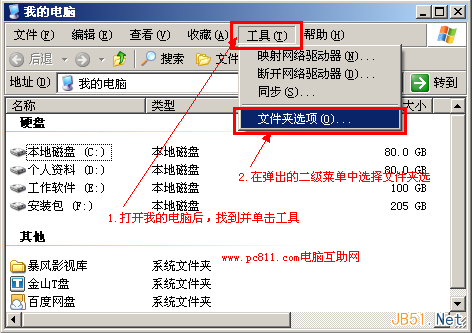
Windows XP

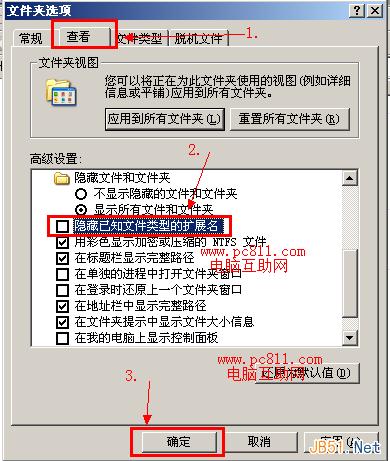
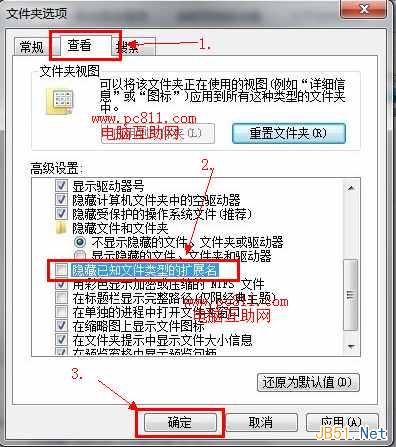
  1. 「我的電腦」→「工具」→「資料夾選項」→「檢視」。
  2. 取消勾選「隱藏已知檔案類型的副檔名」→ 確定。

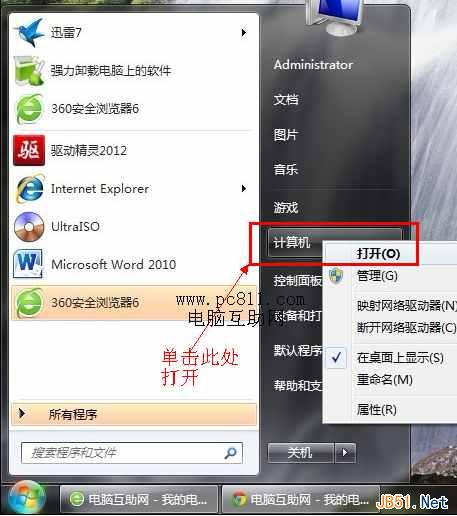
Windows 7

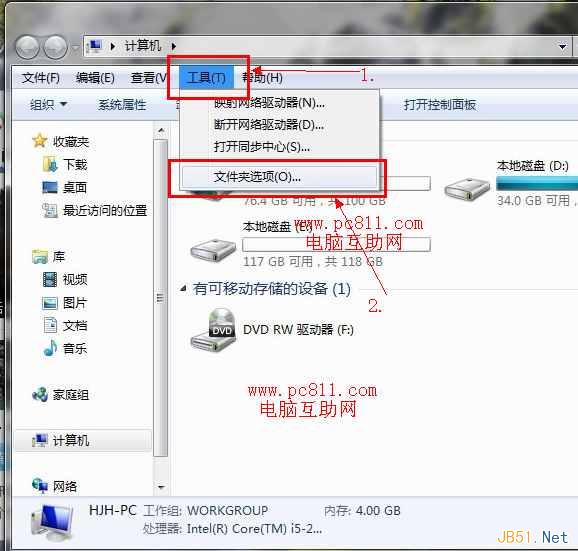
  1. 「電腦」→「工具列/編排」→「資料夾選項」→「檢視」。
  2. 取消勾選「隱藏已知檔案類型的副檔名」→ 確定。

Windows 8

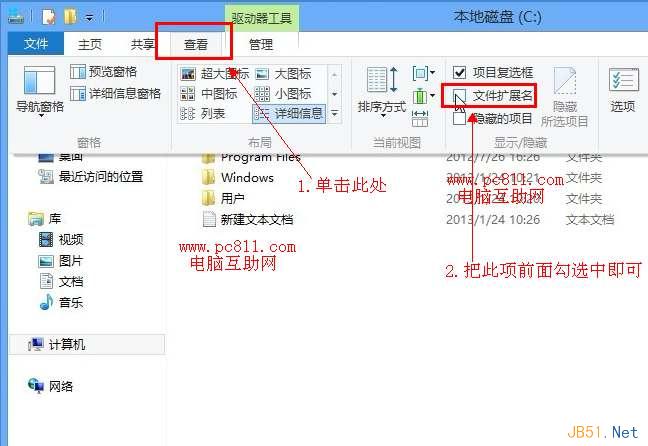
  1. 「電腦」→「檢視」索引標籤 → 勾選「檔案副檔名」。

開啟後所有檔案將顯示完整副檔名(.jpg/.png/.exe/.pdf 等),方便辨識檔案類型與防範偽裝惡意檔案。

Copyright © Windows教程網 All Rights Reserved