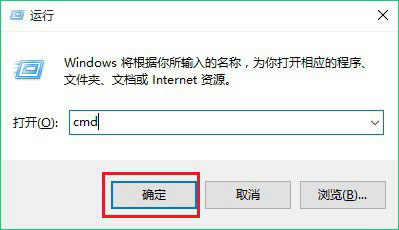
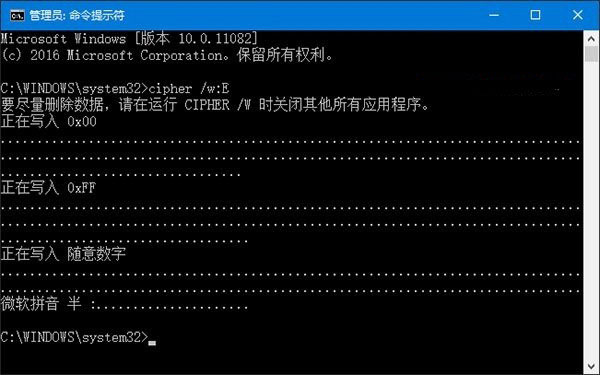
Windows 刪除檔案僅標記空間可覆寫,資料復原軟體仍能找回。Win10 內建 cipher 指令可擦除磁碟剩餘空間,徹底銷毀已刪除資料。
cipher
cmd
cipher /w:C
適用範圍:XP/Win7/Win8/Win10 所有主流 Windows 版本。僅擦除「已刪除」檔案殘留資料,不影響現有正常檔案。
單一檔案粉碎刪除:可使用軟媒魔方「檔案大師」的檔案粉碎功能,效率更高。
Windows 7 善用「以前的版本」快速找回誤刪檔案
Win7 內建 ping 指令測網速、檢測網路穩定度:無需第三方軟體
Win8/8.1 管理無線網路設定檔命令大全:netsh wlan show/delete/profile 圖文教學
Windows 10 工作列右下角時鐘消失?開啟系統圖示「時鐘」找回時間顯示
Windows 7 新增寬頻撥號連線 (PPPoE) 圖解教學:控制台 → 網際網路選項 → 連線
Win10 Mobile 正式版大規模推送至 3 款 BLU 手機機型
產生並查看 Windows 8 系統健康報告診斷問題
Win10 14316 專業版自製中文 ISO 鏡像下載(32 位 / 64 位)附安裝說明