Windows XP Windows 7 Windows 2003 Windows Vista Windows 綜合教學 Linux 系統教學
Windows 10 Windows 8 Windows 2008 Windows NT Windows Server 電腦軟體教學
您现在的位置: Windows教程網 >> Windows教程 >  >> Windows 綜合教學 >> 關於 Windows

Windows 群組原則編輯器 (gpedit.msc) 開啟方法與檔案位置

編輯:關於 Windows

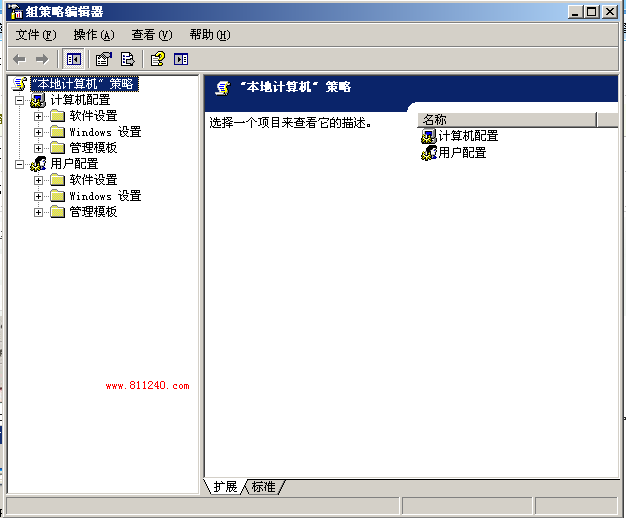
群組原則編輯器 gpedit.msc 位於 C:\Windows\system32\gpedit.msc。三種開啟方式:

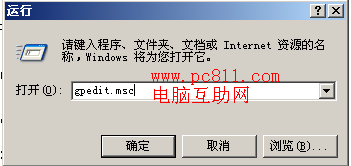
1. 執行指令

Win + R → gpedit.msc(不分大小寫)→ Enter。

2. 系統資料夾直達

開啟 C:\Windows\system32 → 雙擊 gpedit.msc。(若系統碟非 C:,請對應修改路徑)
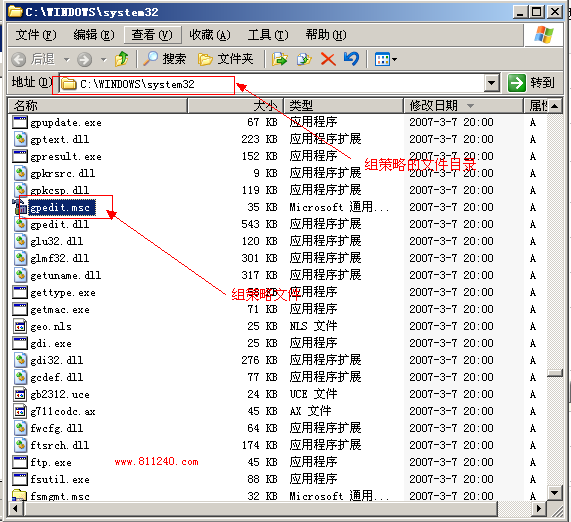
3. 搜尋

開始功能表搜尋 gpedit.msc → 點擊結果開啟。

Home 版本預設不包含 gpedit.msc,需第三方工具啟用或升級 Professional/Enterprise 版。

Copyright © Windows教程網 All Rights Reserved