Windows XP Windows 7 Windows 2003 Windows Vista Windows 綜合教學 Linux 系統教學
Windows 10 Windows 8 Windows 2008 Windows NT Windows Server 電腦軟體教學
您现在的位置: Windows教程網 >> Windows教程 >  >> Windows 綜合教學 >> 關於 Windows

Win7查看Windows記錄檔完整教學:事件檢視器五大類別與清理建議

編輯:關於 Windows

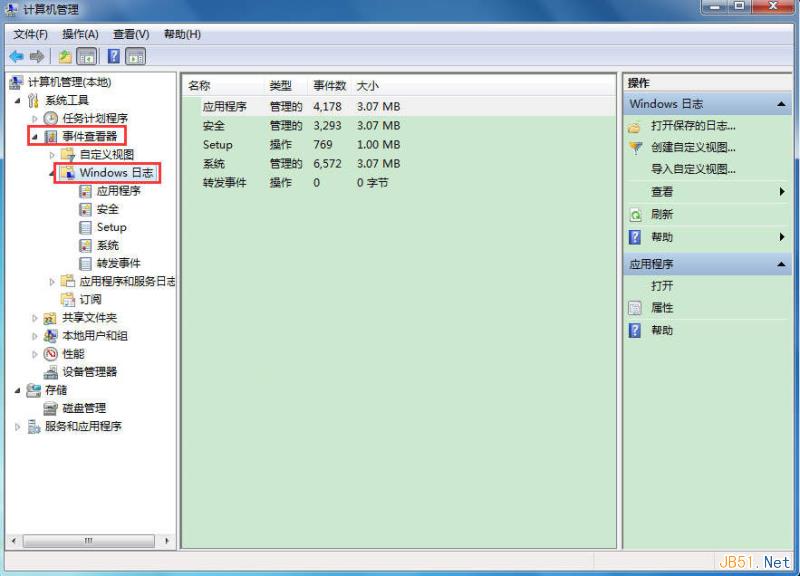
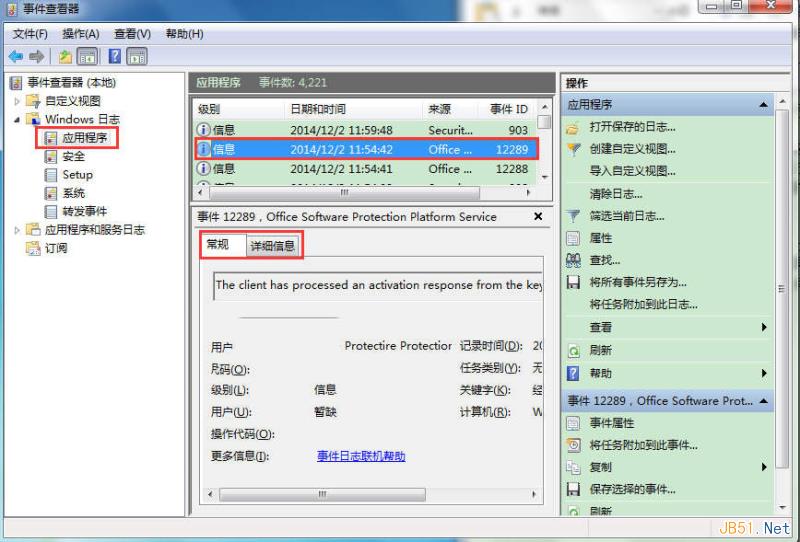
Windows記錄檔位於「電腦管理 > 事件檢視器 > Windows記錄檔」,含五類:

  • 應用程式記錄檔:應用程式記錄事件。
  • 安全性記錄檔:登入、資源存取、安全相關事件。
  • 系統記錄檔:Windows系統元件事件。
  • 安裝程式記錄檔:應用程式安裝相關事件。
  • 轉送事件記錄檔:從遠端電腦收集的事件。

查看路徑

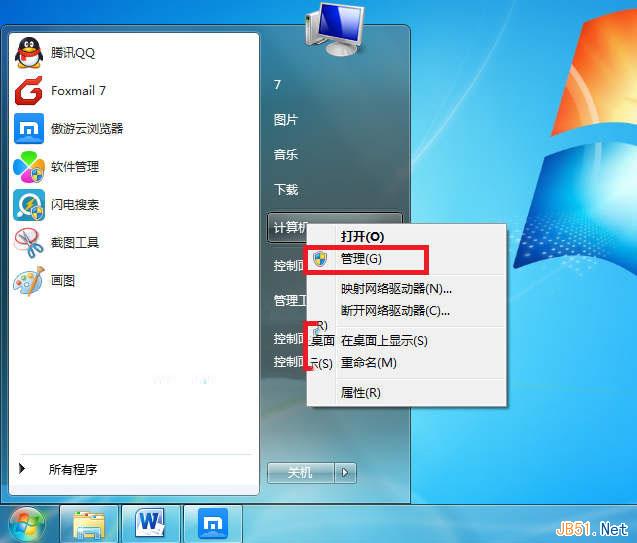
  1. 右鍵「電腦」>「管理」> 展開「事件檢視器 > Windows記錄檔」。
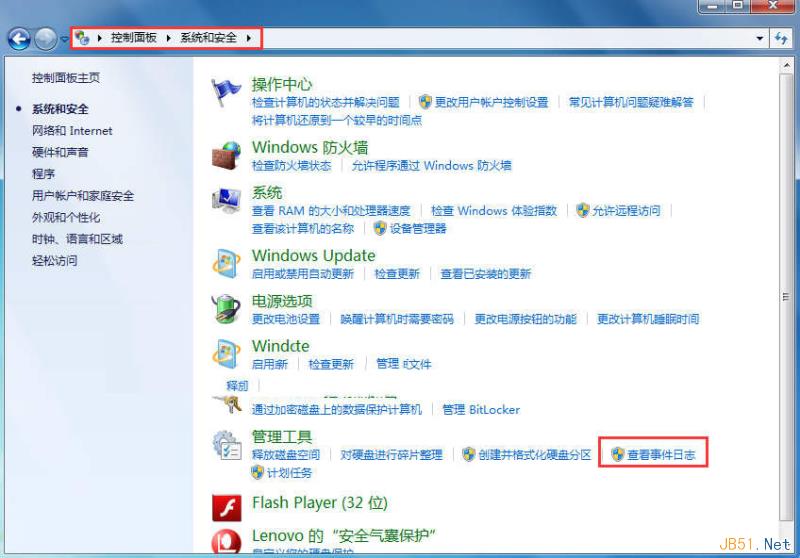
  2. 或控制台 > 系統和安全性 > 系統管理工具 > 「檢視事件記錄檔」。

清理建議

記錄檔主要供專業人員分析,一般用戶價值有限且佔C槽空間。系統穩定時可定期清理,多數安全/優化軟體內建清理功能。
Copyright © Windows教程網 All Rights Reserved