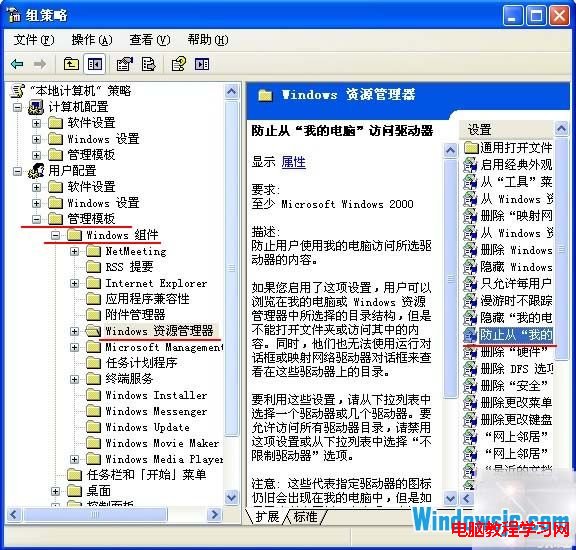
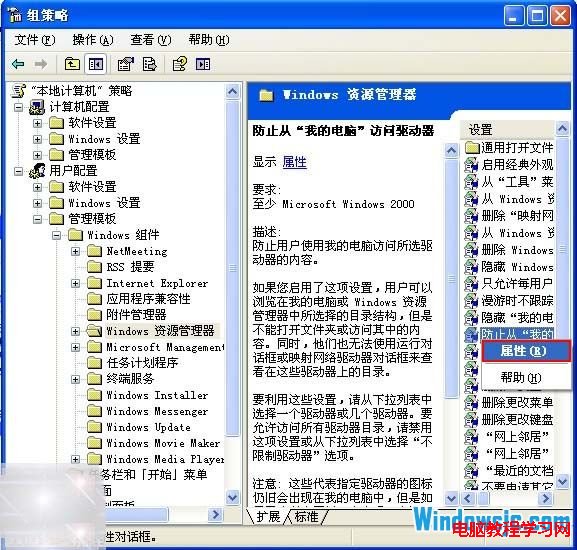
Windows XP 中雙擊本機磁碟機無反應或彈出「本次操作因這台電腦的限制而被取消」,但右鍵「開啟」卻正常?這是群組原則限制了從「我的電腦」存取磁碟機。
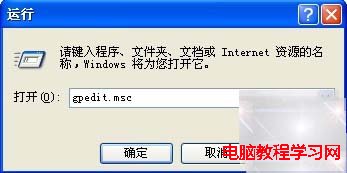
gpedit.msc
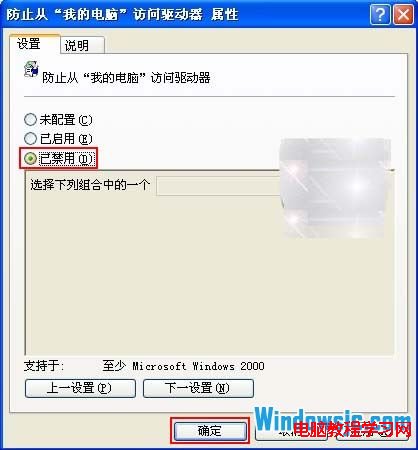
設定完成後即可恢復雙擊開啟磁碟機功能。
Win 7 開始選單找不到「執行」指令?三種快速開啟方法教學
Win7 命令提示字元 (cmd) 如何複製貼上?啟用「快速編輯模式」滑鼠選取即複製、Ctrl+V 貼上
Win10 KB3135173 累積更新安裝失敗?官方離線安裝包(32/64 位)下載與手動安裝技巧
Win8.1 應用程式通知推播失效?檢查通知設定與動態磚行為
Win7 桌面圖示變超大怎麼辦?兩招快速縮小恢復正常
Win10 將檔案轉 PDF 格式:右鍵列印選 Microsoft Print to PDF 原生支援無需第三方工具
Win8 關閉無線網路 (WLAN) 兩大法:省資源、增續航
Windows 7 移除不需的系統元件精簡作業系統 (無損精簡)