Windows XP Windows 7 Windows 2003 Windows Vista Windows 綜合教學 Linux 系統教學
Windows 10 Windows 8 Windows 2008 Windows NT Windows Server 電腦軟體教學
您现在的位置: Windows教程網 >> Windows教程 >  >> Windows 綜合教學 >> 關於 Windows

Win10 KB3135173 累積更新安裝失敗?官方離線安裝包(32/64 位)下載與手動安裝技巧

編輯:關於 Windows

Win10 累積更新 KB3135173(版本 10586.104)透過 Windows Update 推送時,部分用戶遇到下載卡住、安裝失敗、重啟循環等問題。微軟提供**官方獨立安裝包(MSU/CAB)**,手動安裝成功率顯著高於線上更新。
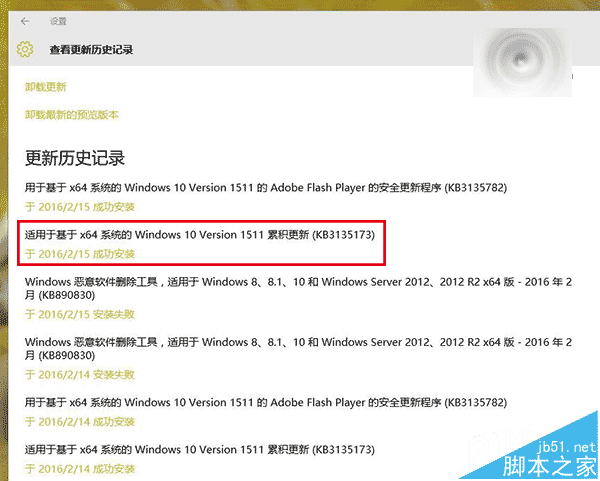
官方下載連結

  • 32 位 (x86): 約 270 MB
  • 64 位 (x64): 約 489 MB

KB3135173下載頁面

手動安裝優勢與技巧

  • 繞過 WU 代理服務故障: 直接呼叫 DISM/Windows Update Standalone Installer (wusa.exe) 安裝,避開下載緩存、服務啟動順序等常見失敗點。
  • 離線部署: 適用於無網路/受限網路環境(企業內網、離線映像服務)。
  • 安裝指令: 以管理員身分開啟 CMD,執行:
    wusa.exe windows10.0-kb3135173-x64.msu /quiet /norestart
    安裝完成後手動重啟。

若手動安裝仍失敗

  1. 檢查系統檔案完整性:sfc /scannow、Dism /Online /Cleanup-Image /RestoreHealth。
  2. 暫時卸載第三方防毒/優化軟體(常因檔案鎖定/註冊表攔截導致失敗)。
  3. 清理 C:\Windows\SoftwareDistribution\Download 目錄,重置 WU 元件:
    net stop wuauserv && net stop bits && rd /s /q %windir%\SoftwareDistribution && net start wuauserv && net start bits

  4. 最終手段:系統還原點回滾、就地升級修復、或重裝系統。
  5. 相關資源

    • Win10 KB3135173 導致系統痙攣臨時對策
Copyright © Windows教程網 All Rights Reserved