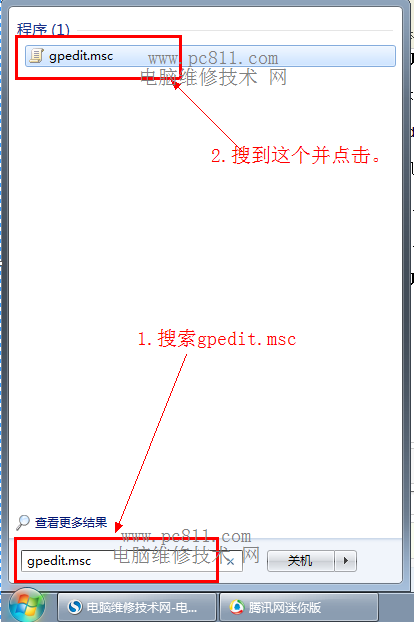
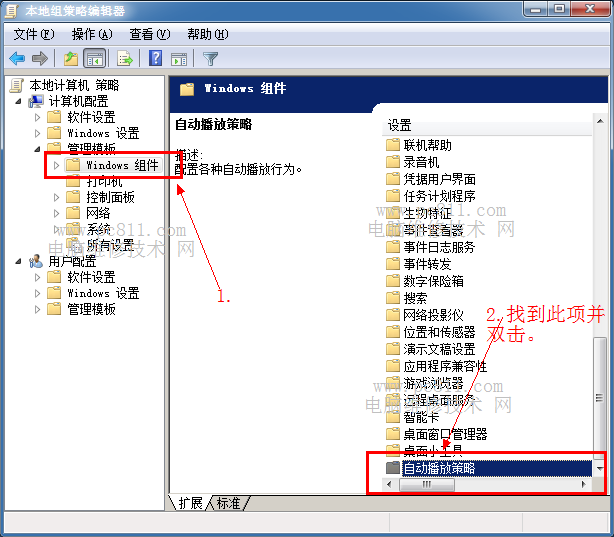
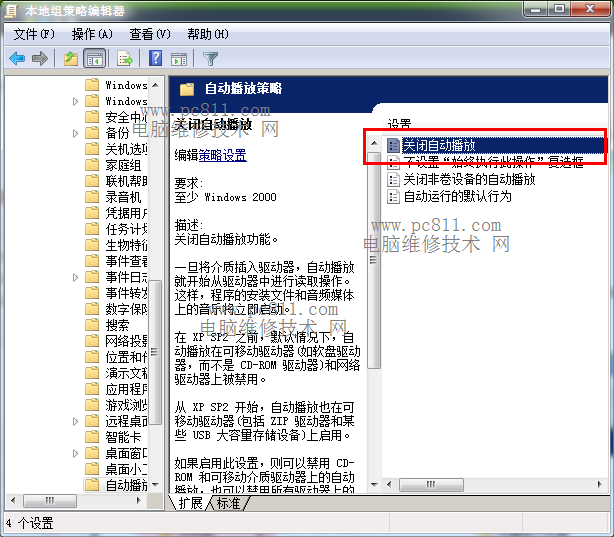
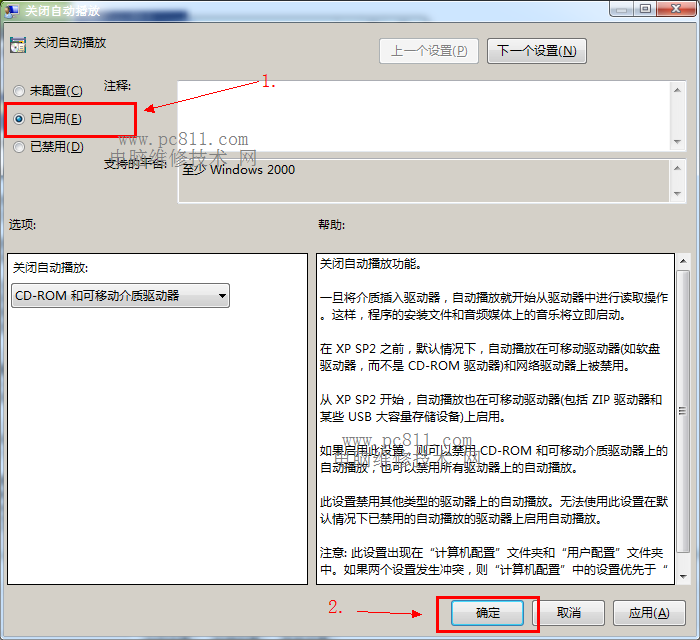
插入 USB/行動硬碟時自動播放可能洩露隱私檔案。Windows 7 可用群組原則或登錄檔關閉自動播放(適用 XP/7/8)。
gpedit.msc
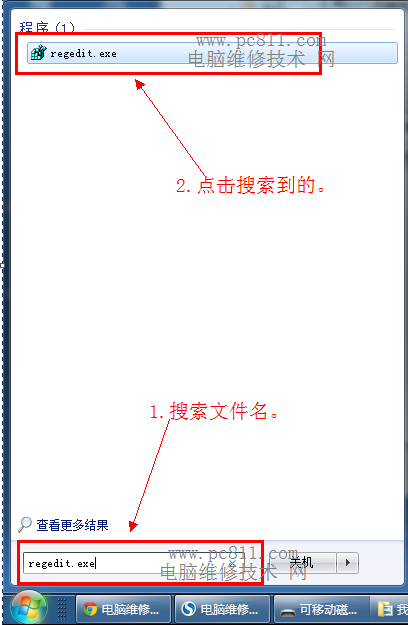
regedit
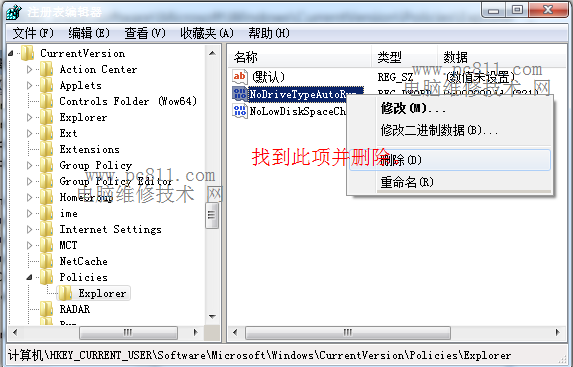
HKEY_CURRENT_USER\Software\Microsoft\Windows\CurrentVersion\Policies\Explorer
NoDriveTypeAutoRun
0xFF
升級 Win10 後應用無法開啟、無法切換帳號?內建 Administrator 帳號相容性問題解決
Windows XP 磁碟碎片整理完整教學:提升系統效能、預防檔案遺失
Win7 如何下載網頁影片?利用 IE 暫存檔案直接另存
Win7 CPU 使用率過高?四招降佔用:精簡啟動項、結束高佔用進程、全盤掃毒、關閉視覺特效
Win8 關閉鍵盤切換鍵提示音 (Caps Lock/Num Lock/Scroll Lock) 三步驟設定
Windows XP 設定資料夾權限防止誤刪:取消簡易檔案共享、進階安全性設定所有權與權限
Windows 10 開始選單資料夾無法用 Delete 鍵刪除?僅能重新開機清除快取
Win10 創作者更新 Store 即將上線電子書專區:Edge 內建閱讀器支援 EPUB、書籤、字體主題自訂