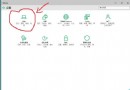
Win10 手動設定靜態 IP 步驟:

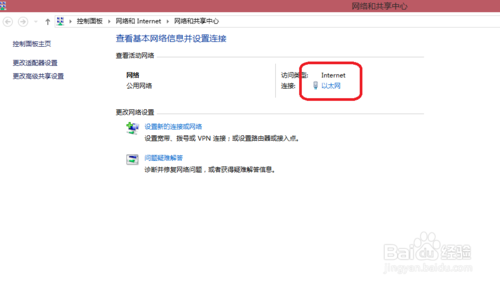
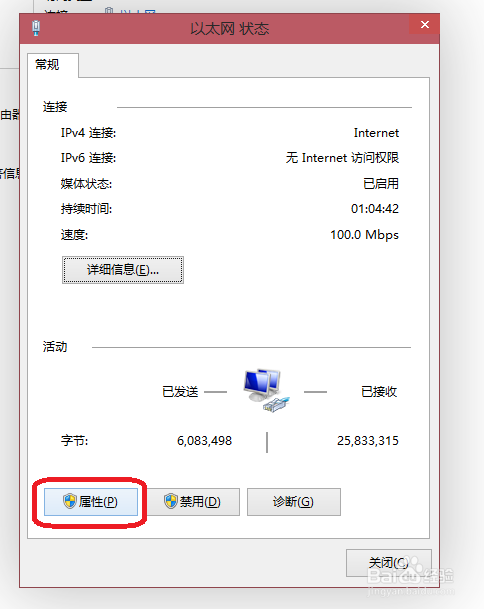
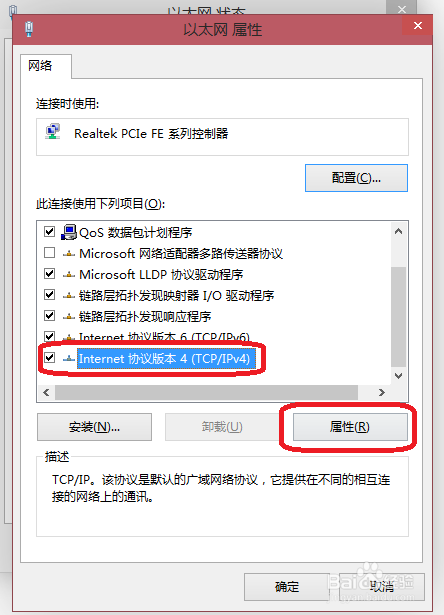
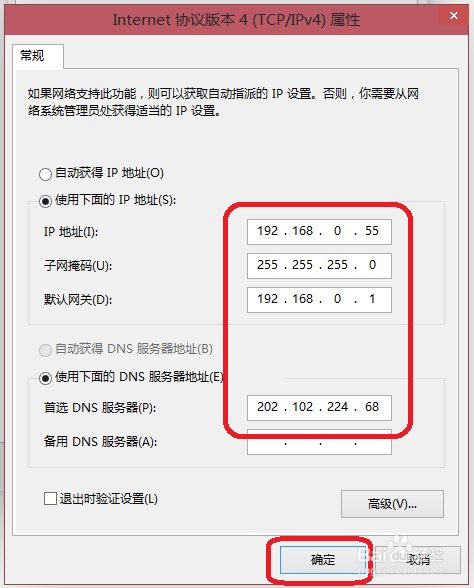
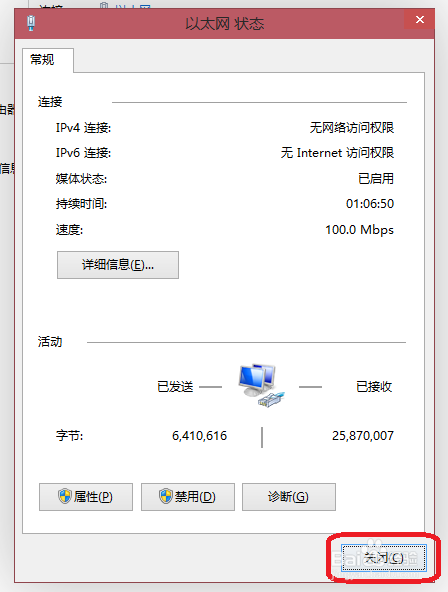
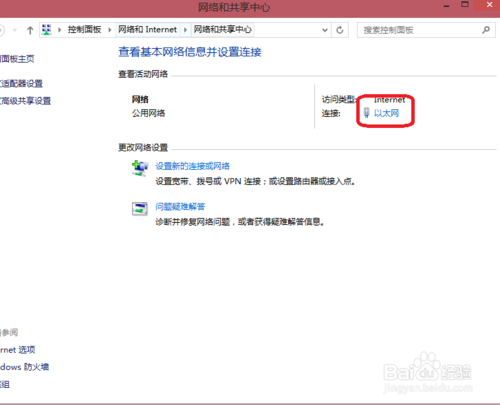
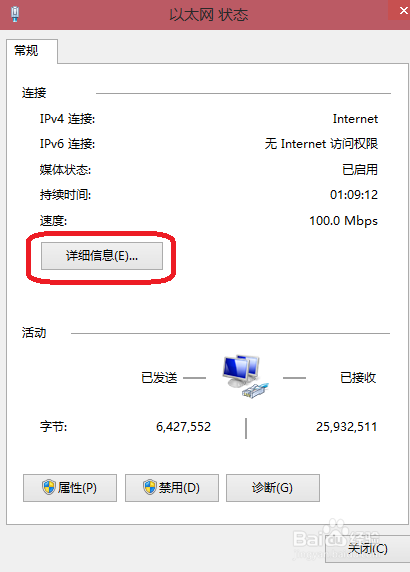
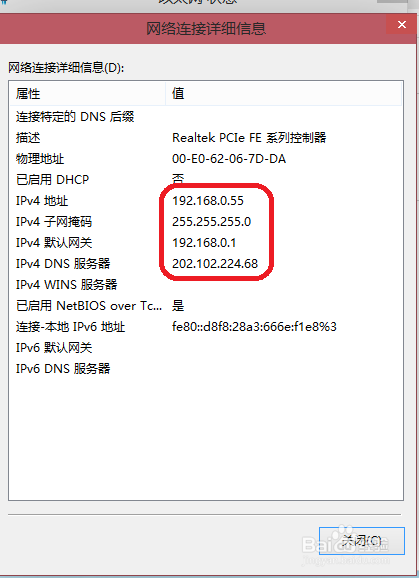
注意:IP 網段需與路由器一致(如路由器 192.168.1.1 則用 192.168.1.x)。
Win10 Modern 應用程式閃退無回應?PowerShell 一鍵重註冊修復教學
Win7/8.1 關閉「取得 Windows 10」升級圖示:永久移除 KB3035583 與 GWX 完整教學
Windows Server 2003 遠端管理三種安全方案:終端服務+Zebedee、SSH 隧道+VNC、IPsec 原則
微軟公布 Win10 通用商店更新:暢銷排行、應用內購顯示、折扣標示、開發者作品集、簡化購買流程
Win10 Build 10568 洩露版:應用商店無法自動更新、記憶體洩漏風險,建議僅虛擬機測試
Windows 8 強制啟用應用程式分屏顯示(Snap)功能登錄表修改教學