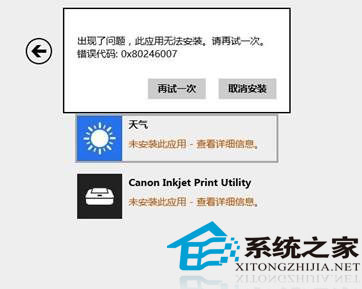
Win8.1 應用商店安裝/更新報錯 0X80246007,根因:IE11 暫存資料夾被移至非系統盤。修復:
0X80246007
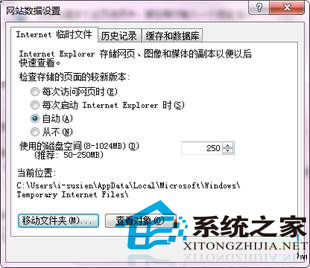
C:\Users\<用戶名>\AppData\Local\Microsoft\Windows\INetCache
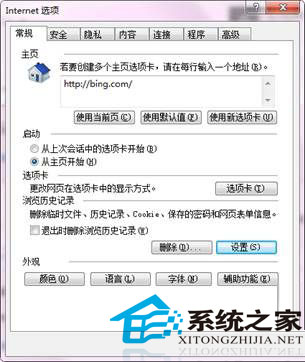
IE11 瀏覽記錄設定
移動暫存資料夾回 C 槽
商店錯誤非商店本身故障,單純 IE 暫存路徑問題,簡單設定即愈。
Win10 預覽版 10022 更新內容匯總:圖示微調、底層優化、無斯巴達瀏覽器
Build 2016 前瞻:微軟高調預告 Windows 10 紅石版將推「顛覆性」新功能
Win10 系統 Word 無法喚出輸入法的快速修復方法
Win8.1 運行綠色軟件提示「拒絕訪問」?右鍵以管理員身份運行即可
官方確認:盜版 Win7/8.1 無法免費升級 Win10,升級過程中檢測到盜版將中斷
倒數 69 天!Win10 正式版 7 月 22 日完成,俄羅斯大神 WZor 確認
XP 開機提示「Windows 無法載入使用者設定檔」?登錄表 ProfileList 路徑修正法
Win8 最快叫出控制台的三種技巧