Windows XP Windows 7 Windows 2003 Windows Vista Windows 綜合教學 Linux 系統教學
Windows 10 Windows 8 Windows 2008 Windows NT Windows Server 電腦軟體教學
您现在的位置: Windows教程網 >> Windows教程 >  >> Windows 綜合教學 >> 關於 Windows

XP 開機提示「Windows 無法載入使用者設定檔」?登錄表 ProfileList 路徑修正法

編輯:關於 Windows

XP 開機報錯:「Windows 無法載入使用者的設定檔」
故障分析:

登錄表 Default User 鍵值指定路徑錯誤或遺失。

解決方法:

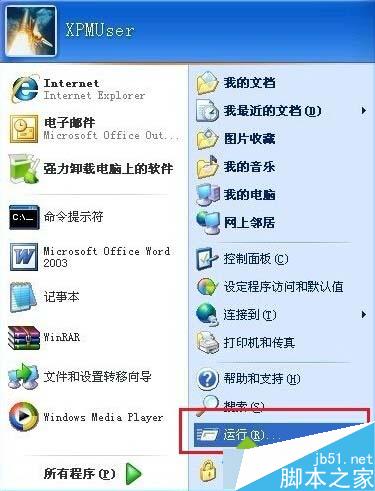
  1. Win + R 輸入 regedit 開啟登錄編輯器。
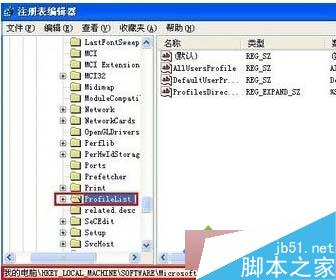
  2. 展開至:
    HKEY_LOCAL_MACHINE\SOFTWARE\Microsoft\Windows NT\CurrentVersion\ProfileList
  3. 右側找到 AllUsersProfile 與 ProfilesDirectory 兩個鍵值:
    • AllUsersProfile 改為 All Users
    • ProfilesDirectory 改為 %SystemDrive%\Documents and Settings
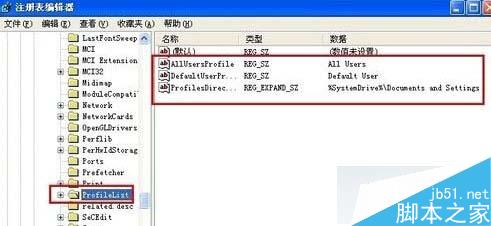
  4. 確定儲存,重開機即可正常載入使用者設定檔。

修正登錄表路徑指向,解決設定檔載入失敗問題。

Copyright © Windows教程網 All Rights Reserved