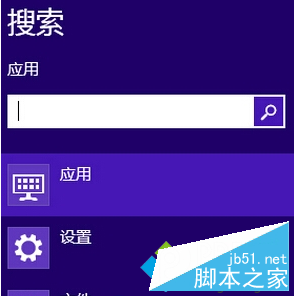
Windows 8 可將常用網站或應用程式釘選到工作列,再透過右鍵選單「釘選」功能,將其加入「搜尋」魅力列表最上方,達成一鍵啟動,大幅縮短操作路徑。
此技巧適用於傳統桌面程式與現代化應用程式,善用可顯著提升多工切換效率。
Win10 如何開啟螢幕鍵盤?三種方法:執行指令、小娜搜尋、設定介面
Win10 更新後頻繁重啟無法進入桌面?兩大解決方案詳解
Win7 查看 BIOS 版本與型號三大法:開機畫面、DXDIAG、CPU-Z
Windows 解決 cidaemon.exe (索引服務) 佔用 100% CPU:停用 Indexing Service
回顧歷代 Windows 系統演進:從 Windows 1.0 到 Windows 10 的三十年
Win10 開始選單新增應用程式捷徑(以控制台為例)
Win10 加快桌面應用啟動速度:註冊表關閉「啟動延遲」讓開機項零等待
Win7 區域網路磁碟共享設定:右鍵磁碟→共用→進階共用→權限新增對方帳號→安全性給予完全控制