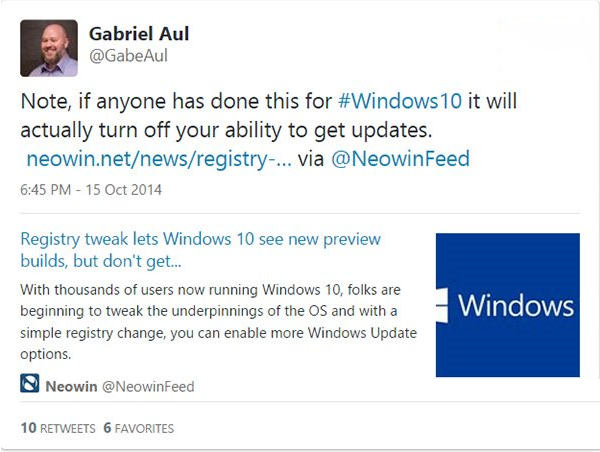
網傳修改 Win10 登錄可查看未發布新版本,但微軟官方證實此做法會關閉更新接收功能。若已誤改,請以管理員身分執行命令提示字元,貼上以下指令還原:
reg add "HKEY_LOCAL_MACHINE\SOFTWARE\Microsoft\WindowsSelfHost\Applicability" /v "BranchName" /d "fbl_release" /t REG_SZ /f
reg add "HKEY_LOCAL_MACHINE\SOFTWARE\Microsoft\WindowsSelfHost\Applicability" /v "ThresholdRiskLevel" /d "low" /t REG_SZ /f
reg delete "HKEY_LOCAL_MACHINE\SOFTWARE\Microsoft\WindowsSelfHost\Applicability" /v "ThresholdInternal" /f
reg delete "HKEY_LOCAL_MACHINE\SOFTWARE\Microsoft\WindowsSelfHost\Applicability" /v "ThresholdOptedIn" /f
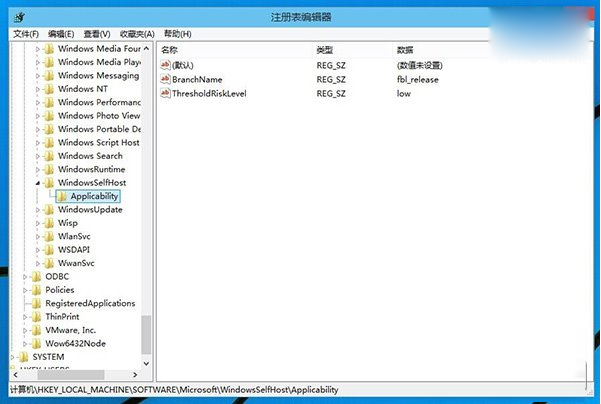
執行完成後,註冊表恢復正常,即可接收後續公開更新。建議耐心等待官方推送,勿嘗試非官方修改。