連上 Wi-Fi 後系統自動記住密碼,久了就忘記。Win7 可透過無線網路屬性快速找回密碼,無需重設路由器。
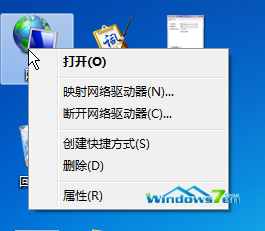
圖 1:網路屬性
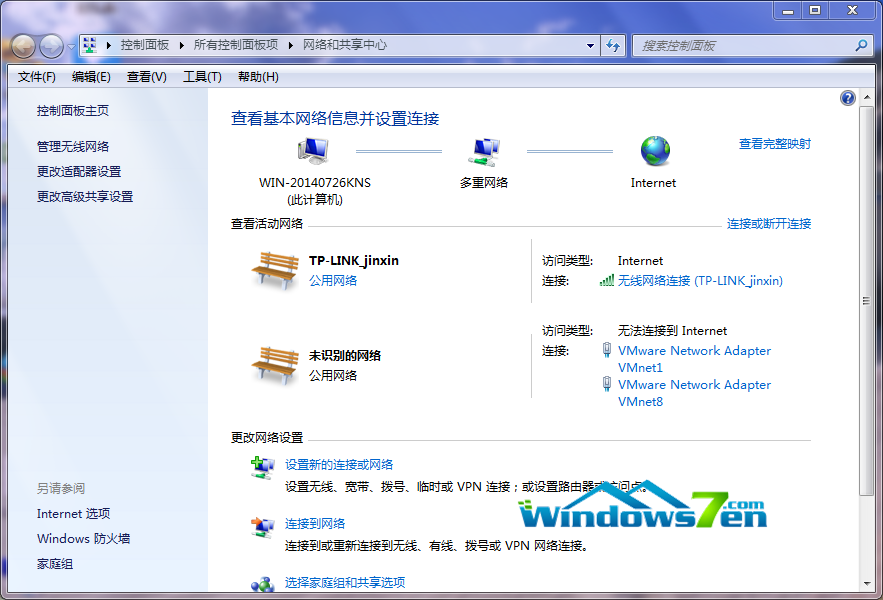
圖 2:無線網路連線
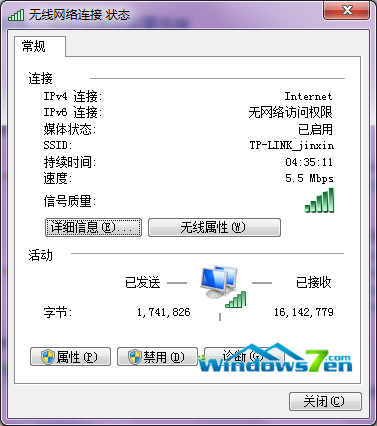
圖 3:無線內容
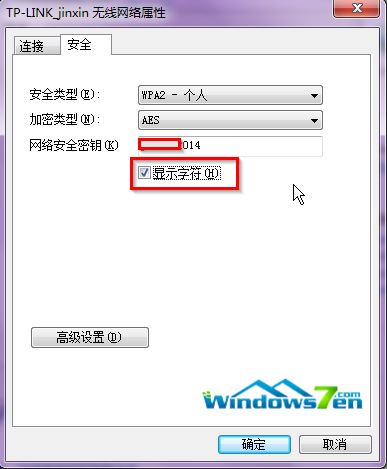
圖 4:顯示字元查看密碼
手機連線時直接輸入此密碼即可,準確無誤。
Win7 點擊電腦屬性彈出「帳戶名與安全性識別碼無對應」?重命名本地使用者修復
Win10 記憶體無法為 read/written 錯誤解決:ShellExecuteHooks 清理、DLL/OCX 重新註冊、全量註冊
微軟官方釋出 Windows 10 專業版免費升級金鑰:VK7JG-NPHTM-C97JM-9MPGT-3V66T (僅限 1511 家用版升級,仍需購買授權啟用)
Windows XP 雙閘道切換批次檔:快速切換內外網預設閘道
Win10 免費升級失敗頻傳:連續重開機、藍畫面、更新卡住,騰訊 360 暫停服務,專家批微軟低估硬體相容複雜度
Win10 能辨識單晶片嗎?手動安裝驅動讓 Win10 識別 51 單晶片
微軟發布 Win10 消費者版本:Win7 首年免費升級、開始選單可縮放、Action Center 整合通知與快速設定、Cortana 入駐任務列