Win8.1 更新失敗錯誤代碼 80073712,三步驟修復:
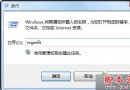
services.msc,確認 Background Intelligent Transfer Service、Cryptographic Services、Software Protection、Windows Update 狀態皆為「已啟動」。C:\Windows\SoftwareDistribution → 重新啟用服務。dism /Online /Cleanup-Image /CheckHealthdism /Online /Cleanup-Image /RestoreHealth完成上述操作可解決 80073712 錯誤,Win8.1 Update 可透過補丁直接取得。