使用者回報 Win8.1 開機備份、檔案歷程記錄、檔案副本功能消失,導致 OneDrive 雲端網頁與 Microsoft Store 無法開啟,安裝廠商復原軟體(如 Dell Backup and Recovery)報錯 5。根因通常為恢復分區受損,需透過 DISM 修復系統映像與元件存放區。
sfc /scannow 掃描修復系統檔案。DISM.exe /Online /Cleanup-image /Scanhealth 掃描元件存放區健康狀態。DISM.exe /Online /Cleanup-image /Restorehealth 從線上/安裝媒體修復損壞檔案(若提示找不到來源可暫時忽略)。DISM /Online /Cleanup-Image /StartComponentCleanup /ResetBase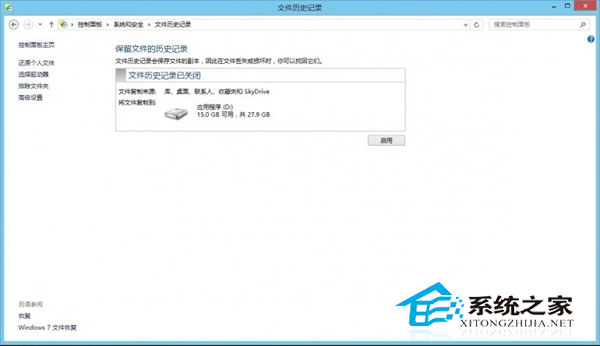
上述指令依序修復:系統檔案 → 元件存放區完整性 → 移除取代版本壓縮空間。修復完成後,恢復分區功能恢復,OneDrive 與商店即可正常存取。
C:\Windows\WinSxS 目錄內容。DISM /Online /Cleanup-Image /StartComponentCleanup 維護元件存放區。將 Win7 筆記本變身無線路由器:建立虛擬 Wi-Fi 熱點共享上網
Win10 自带录音机使用教程:开始菜单 → 所有应用 → Windows 附件 → 录音机,一键录制保存
Win10 Mobile 週年更新新功能:設定分類加圖示、全新 Emoji(含忍者貓)、動作中心快捷鈕拖曳排序
Win10 和 Win7 哪個快?性能對比評測:遊戲持平、瀏覽器 Edge 完勝、磁碟小勝
Windows 10 Build 10130 安裝過程出現大量小方框亂碼?安裝耗時較長、字體缺失導致介面顯示異常
微軟帳號怎麼註冊?官方網站申請 Outlook/Hotmail 信箱完整圖文教學