Win7 透過群組原則隱藏 C 槽於「我的電腦」中,防止軟體預設安裝或使用者誤刪系統檔:
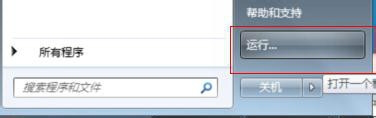
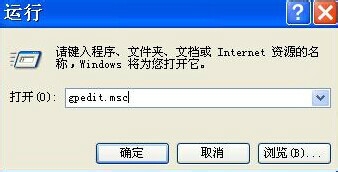
gpedit.msc 開啟群組原則編輯器。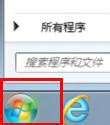
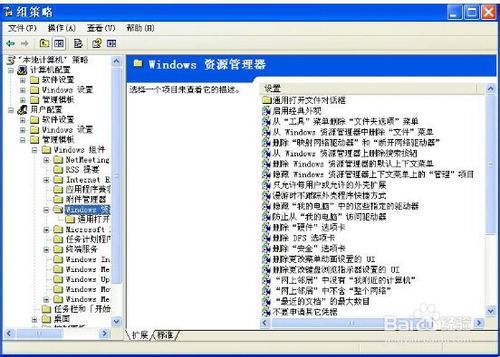
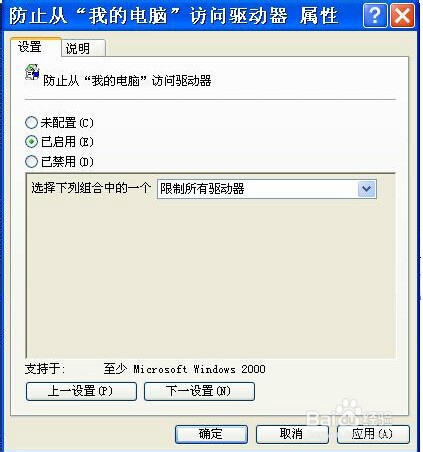
設定生效後,「我的電腦」不再顯示 C 槽圖示,但實際路徑存取 (如 C:\Windows) 仍正常運作,系統功能不受影響。
Win10 打不開 gpedit.msc 組原則編輯器?家用版升級專業版密鑰即可啟用
Win8 桌面圖示模糊不清?DPI 縮放設定 100% 瞬間恢復銳利
Win10 Mobile 10572 值得升級嗎?上手體驗影片與新功能分析
Win10 預覽版 14257 已知問題匯總:嚴禁使用「重置此電腦」,否則須重裝系統
Windows XP 建立 PPTP VPN 連線圖文教學:九步驟從新增連線到撥號登入
Windows 10 Build 9926 純淨安裝極速體驗:i7+8GB RAM 僅 8 分鐘完成
微軟透過 Windows Defender 更新自動移除戴爾 eDellRoot 與 DSDTestProvider 不安全根憑證,保護用戶免受中間人攻擊