Windows XP Windows 7 Windows 2003 Windows Vista Windows 綜合教學 Linux 系統教學
Windows 10 Windows 8 Windows 2008 Windows NT Windows Server 電腦軟體教學
您现在的位置: Windows教程網 >> Windows教程 >  >> Windows 綜合教學 >> 關於 Windows

VMware Fusion 7 虚拟机安装 Win10 图文教程:选择 Windows 8 x64 兼容模式、安装 VMware Tools 增强功能

編輯:關於 Windows

虚拟机隔离安装 Win10,不影响宿主系统,可同时运行多系统。VMware Fusion 7 (Mac 版) / Workstation (Windows/Linux 版) 操作同理:

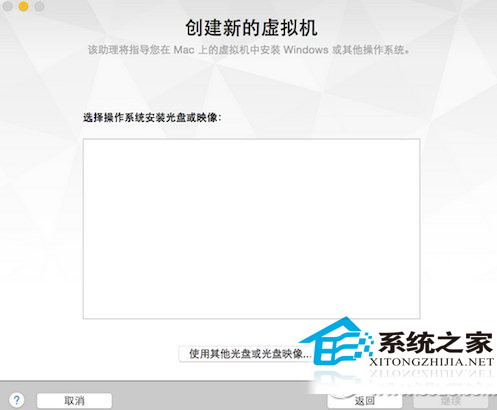
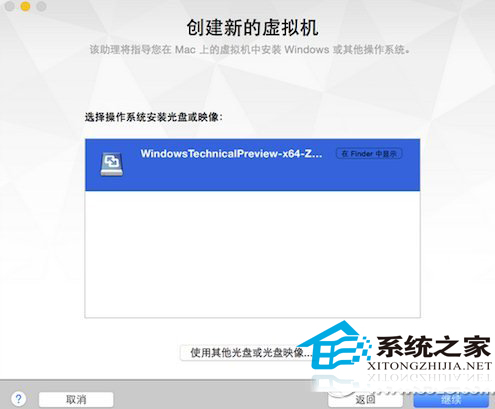
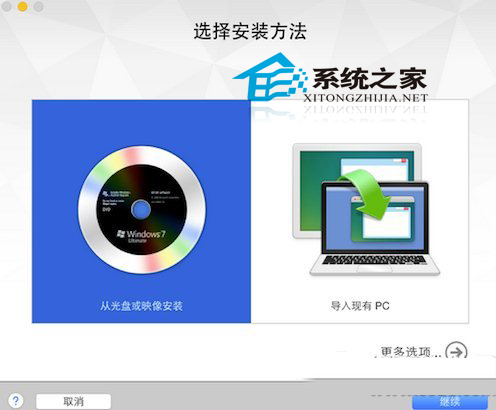
  1. 新建虚拟机 → 选择安装介质 (ISO/光盘镜像)。
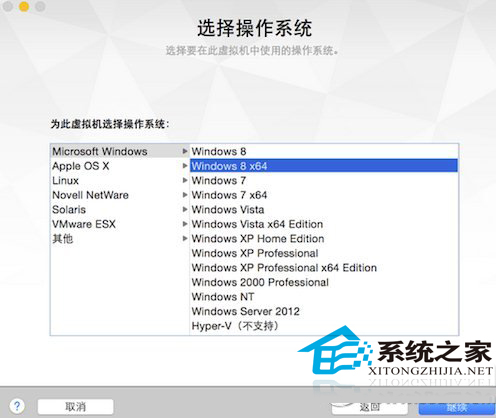
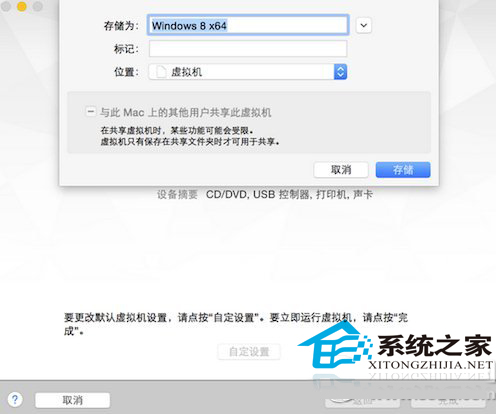
  2. 兼容性选择 **“Windows 8 x64”** (当时版本无 Win10 选项,选 Win8 x64 完全兼容)。
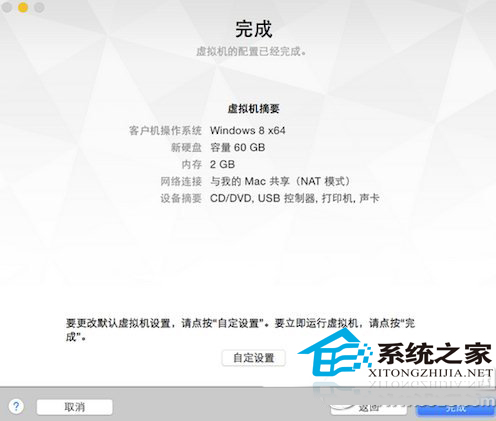
  3. 完成配置 → 启动安装 → 选择虚拟磁盘存储位置。
  4. 安装完成后,**务必安装 VMware Tools** (类驱动包),启用:跨宿主/客拖拽文件、共享剪贴板、自适应分辨率、3D 加速、声卡/网卡/USB 直通优化。
VMware新建虚拟机
选择安装介质
创建虚拟机配置
选择Windows 8 x64兼容
开始安装
虚拟磁盘存储位置

虚拟机 = 真实硬件抽象 + 完全隔离 + 快照回滚 + 便携迁移,**体验预览版/测试软件/跨平台开发的最佳沙箱**。

Copyright © Windows教程網 All Rights Reserved