Windows XP Windows 7 Windows 2003 Windows Vista Windows 綜合教學 Linux 系統教學
Windows 10 Windows 8 Windows 2008 Windows NT Windows Server 電腦軟體教學
您现在的位置: Windows教程網 >> Windows教程 >  >> Windows 綜合教學 >> 關於 Windows

Win7/8/10 關機自動清理暫存檔:建立 .bat 腳本加入群組原則關機指令碼實現自動化

編輯:關於 Windows

Windows 關機時自動清理暫存檔(%TEMP%、瀏覽器快取等)可保持系統輕量。建立批次檔並透過 gpedit.msc 掛載至「關機」指令碼,實現無感自動清理。

步驟一:建立清理腳本

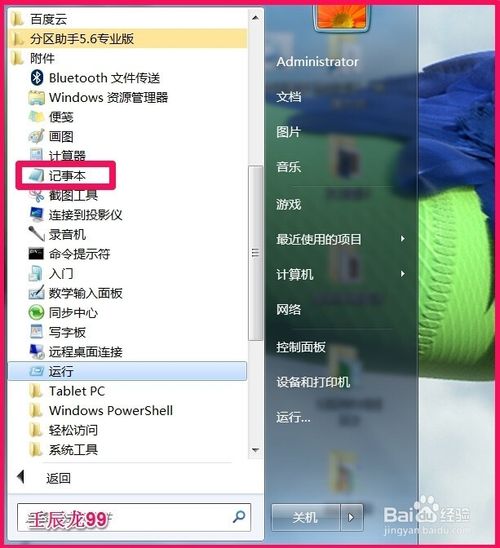
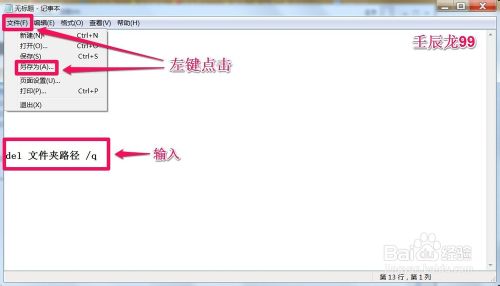
  1. 記事本新建,輸入:del /q /f /s %TEMP%\*(或指定完整路徑 del /q /f /s "C:\Users\<用戶名>\AppData\Local\Temp\*")。
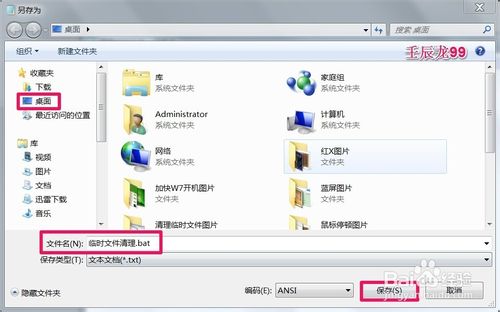
  2. 另存為 清理暫存檔.bat 到桌面或固定資料夾。

關機自動清理示意

記事本輸入指令

另存為 .bat

輸入檔名

步驟二:掛載至群組原則關機指令碼

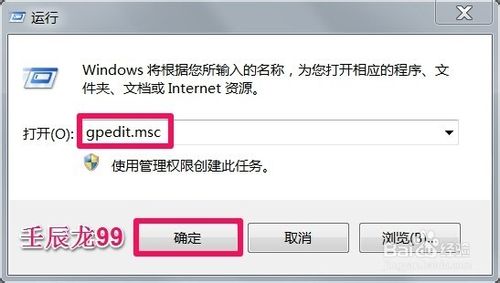
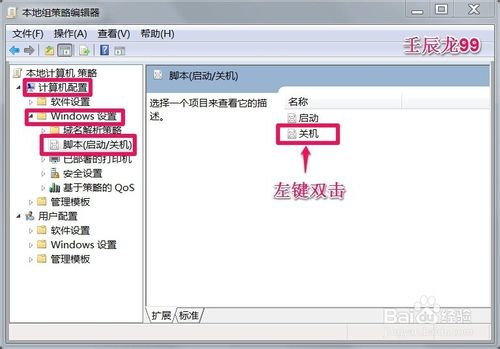
  1. Win+R → gpedit.msc 開啟本地群組原則編輯器。
  2. 依序展開:
    電腦設定 → Windows 設定 → 指令碼 (啟動/關機)
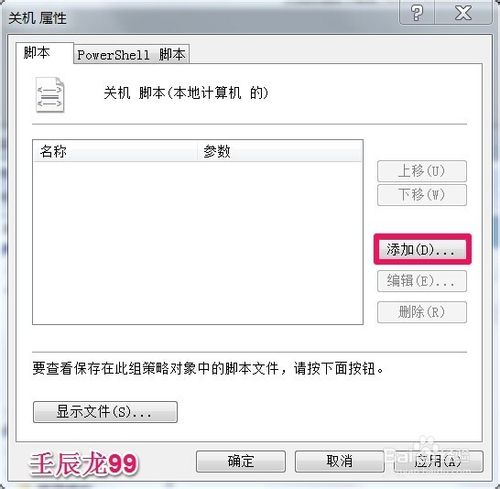
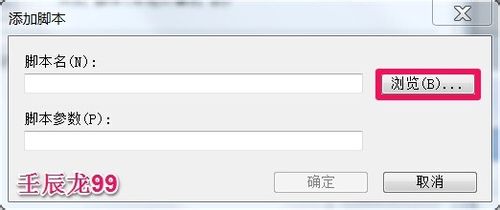
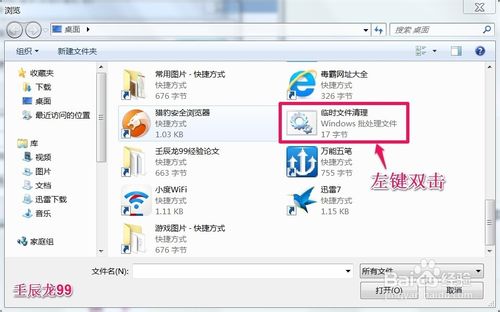
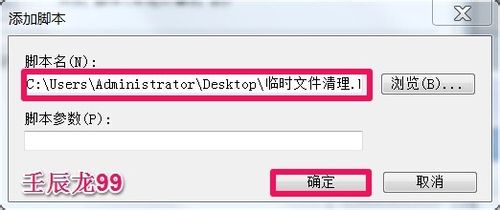
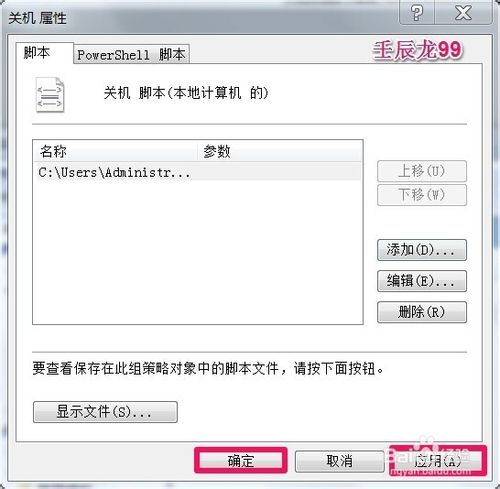
  3. 雙擊右側「關機」 →「新增」→「瀏覽」選取上述 .bat 檔案 → 確定套用。

群組原則指令碼路徑

關機指令碼屬性

新增指令碼

瀏覽選取 .bat

已新增指令碼

確定套用

套用完成

進階擴充

  • 腳本可擴充清理瀏覽器快取(Chrome/Firefox/Edge 路徑)、回收站、Windows Update 清理等。
  • 建議加入 @echo off 隱藏命令視窗,避免關機時閃爍黑框。
  • 家用版無 gpedit.msc 可用工作排程器「觸發條件:關機時」執行同樣腳本。
Copyright © Windows教程網 All Rights Reserved