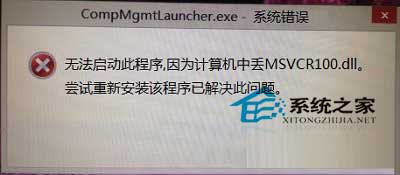
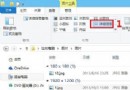
右鍵「這台電腦」→「管理」無法開啟,彈出 CompMgmtLauncher.exe - 系統錯誤:遺失 MSVCR100.dll。此為 Visual C++ 2010 執行階段元件遺失或損毀,最快修復是從同版本正常系統複製 DLL 檔。
CompMgmtLauncher.exe - 系統錯誤:遺失 MSVCR100.dll
C:\Windows\System32\MSVCR100.dll
SysWOW64
sfc /scannow
同樣適用於 Win7/Win10 遇到相同 DLL 遺失錯誤的情境。
Win10 Mobile 預覽版第三方 App/遊戲不相容?官方建議勿升級,等待正式版與開發工具成熟
Win8.1 退出家庭群組完整圖文教學
Windows 10 郵件應用程式自動同步設定教學:自訂同步頻率、下載郵件天數與通知偏好
Win8 Metro 版 IE 開得開但網頁開不了?netsh winhttp 匯入 IE Proxy 設定修復
Windows 10 如何關閉「固定鍵」功能?完整圖文教學
Windows 10 第三方主題包 FlattasDark/Flattastic 下載:多彩邊框美化介面
Win10 IoT 核心預覽版更新包下載:支援 Raspberry Pi 2、MinnowBoard MAX
Win7 開機無訊號無法登入?解析度過高或顯卡驅動異常兩大原因