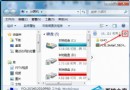
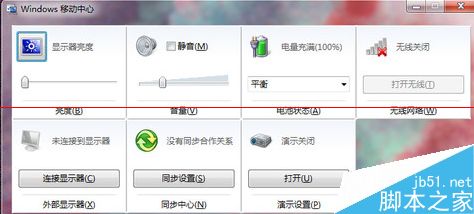
Windows 行動中心(Win+X 選單)若無法透過快捷鍵或控制台開啟,多半是群組原則誤停用相關元件。透過 gpedit.msc 重新啟用即可修復。
gpedit.msc 開啟群組原則編輯器。使用者設定 → 系統管理範本 → Windows 元件 → Windows 行動中心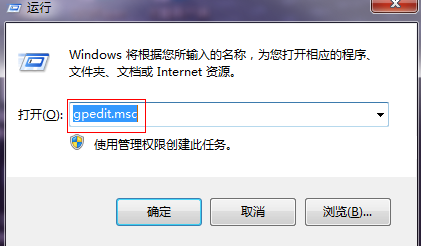
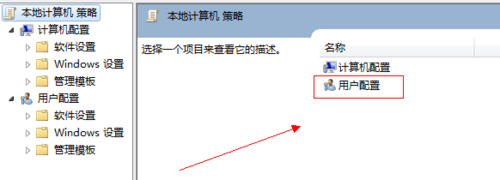
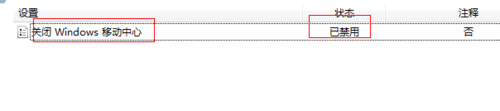
使用者設定 → 系統管理範本 → Windows 元件 → 檔案總管。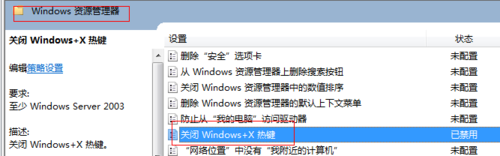
Win10 暗藏巨大福利:原生支援 MKV 視訊播放,Windows Media Player 直接開啟
Win10 如何设置酷炫图片密码?登录选项 → 创建图片密码 → 手势三步解锁
Win10 資料夾檢視模式如何設定圖示大小並套用至所有資料夾?
Win7 安裝 QQ 提示錯誤碼 0X0000000F 兩種解決法:徹底清除殘留與電腦管家修復
Windows 7 / XP 雙系統開機順序調整:必須在 Win 7 下設定才生效
Win7 滑鼠滾輪五大隱藏玩法:縮放網頁/桌面、自動捲動、新分頁開啟連結、切換檢視模式