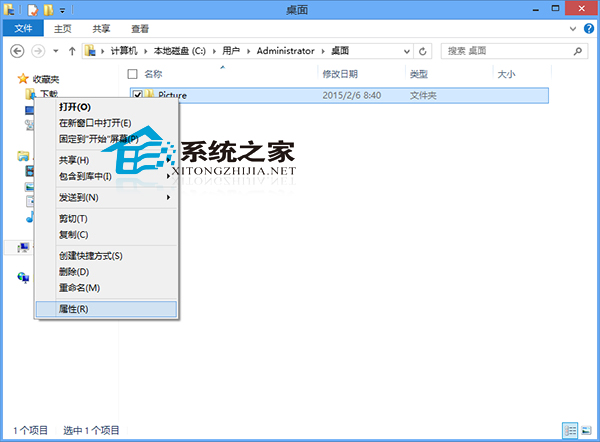
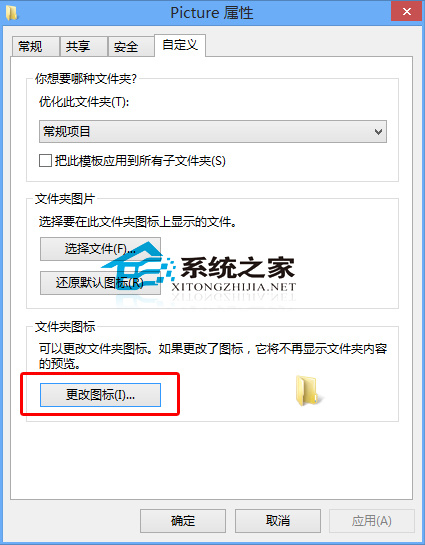
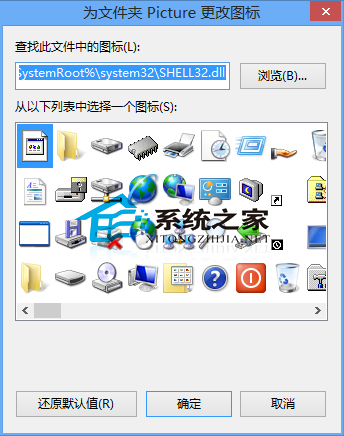
Win8 資料夾圖示可自由更換,讓常用資料夾一眼辨識。
.ico
.dll
.exe
系統內建圖示有限,可上網搜尋 .ico 素材包,或使用「軟媒魔方」等工具批量更換。
Win7 旗艦版安裝 JRE 雙擊無反應?檢查安裝檔、管理員權限、Windows Installer 服務、環境變數
Win7 註冊表找不到 msahci 鍵值?正確查看路徑與 AHCI 模式啟用指南
Windows 10 設定 Win+E 快捷鍵直接開啟「這台電腦」而非首頁
Win7 內建全螢幕投影片播放:資源管理器一鍵賞照片
Win7 如何刪除無用服務?登錄檔編輯器手動刪除教學
Win10 Mobile 10586.29 慢速環推送:累積更新體積超 700MB
Windows 8 開機卡在「無法完成更新 正在復原變更」?強制關機 → F8 → 進階選項 → 系統還原 → 關閉自動更新
Windows 8 快速關機鍵與方法:Win+I 呼叫電源選單、Alt+F4 經典關機