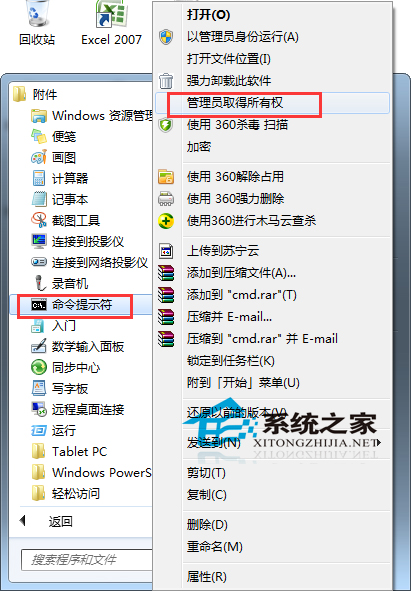
Win7 64 位旗艦版右鍵失效,以管理員身分執行 CMD 執行四行指令修復註冊表並重啟 explorer:
reg add HKCU\Software\Microsoft\Windows\CurrentVersion\Policies\Explorer /v "NoViewContextMenu" /t REG_DWORD /d 0 /f
taskkill /f /im explorer.exe
start explorer.exe
pause
指令解析:移除禁用右鍵選單的策略值 → 強制結束 explorer → 重新啟動 explorer → 暫停確認。重開機後右鍵選單恢復正常。
此為註冊表策略被誤修改導致的典型症狀,指令法精準打擊,無需重裝系統。