工作列程式圖示滑鼠懸停會顯示預覽縮圖,預設大小不一定適合。可自訂像素尺寸:
regedit → 定位 HKEY_CURRENT_USER\Software\Microsoft\Windows\CurrentVersion\Explorer\Taskband。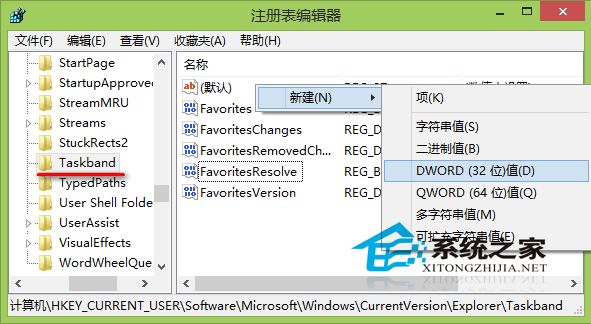
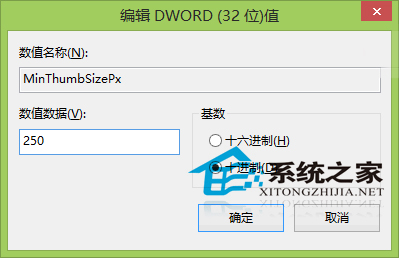
調整後即時生效,無需重開機。適合覺得預覽太小看不清或太大佔空間的用戶。
Windows 7 64位元桌面「電腦」圖示不見?兩步驟找回系統圖示
Win8 正式停止支援 升級 Win8.1/Win10 還是降級 Win7?完整分析
Win10 設定 Outlook 開機自動啟動:工作排程器建立登入觸發任務
Win8 安裝到 USB 隨身碟/行動硬碟:Windows To Go 攜帶專屬系統,走到哪用到哪
Win10 Build 10074 應用程式商店安裝的 App 如何移動到其他磁碟?設定→系統→安裝的應用程式→移動
Windows 7 禁止 USB 裝置自動安裝驅動程式:修改 inf 資料夾權限