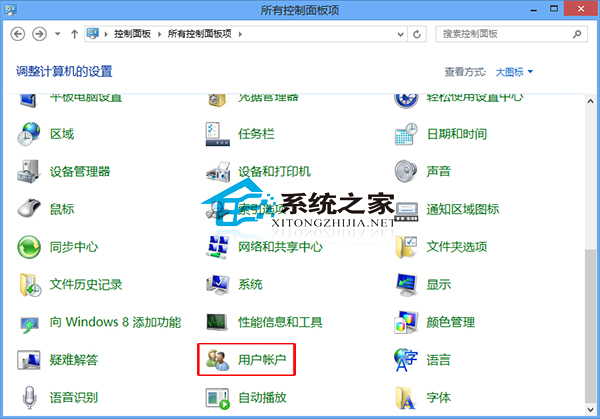
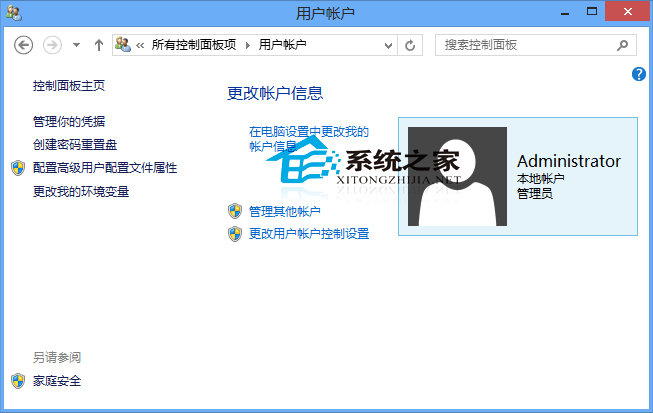
當 Win8 系統建立多個帳戶但實際僅需部分時,可透過「使用者帳戶」介面進行管理。操作步驟如下:
若出現 HomeGroupUser$ 帳戶,無法直接從此介面刪除,請參考專門教學《Win8 刪除 HomeGroupUser$ 帳戶的方法》。
HomeGroupUser$
Win7 開啟區域連線屬性提示「部分控制項被停用」?啟用 Application Experience 服務即可修復
Windows 10 快速查看 Microsoft Store 購買歷程記錄完整教學
Win10 Build 11102 突變 Build 14251 怎麼回事?微軟官方解釋版本號大躍進原因
什麼時候能買到預裝 Windows 10 的 PC?
PE 還原 Win7 系統報錯 Error Number: (19010)?四大核心原因與對策
Windows 7 假死、資源管理員停止回應?五大情境對症下藥
Win7 / Win8 版 QQ 聊天記錄儲存位置在哪?快速找到對應資料夾
Windows 10 跨裝置同步 Edge 書籤教學:登入 Outlook 帳號開啟同步功能