定期對 Windows 7 進行磁碟重組有助於提升系統效能,但部分使用者在重組後卻遇到「硬碟碎片含有錯誤」的彈窗,經 Scandisk 檢修後發現碎片無法使用,且資料夾文字變成亂碼。這類情況雖令人困擾,實際上透過修改登錄檔即可輕鬆解決。
1. 開啟登錄編輯器
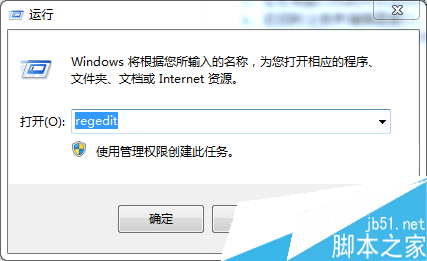
按下 Win + R 開啟「執行」視窗,輸入 regedit 並按 Enter。
2. 定位字型關聯鍵值
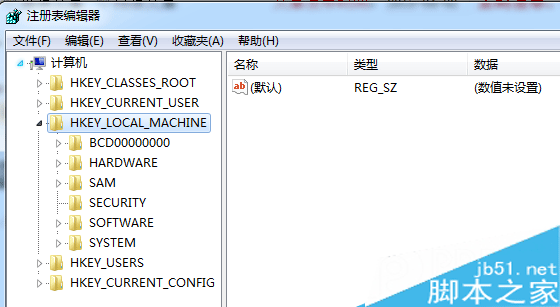
依序展開:HKEY_LOCAL_MACHINE \ System \ CurrentControlSet \ Control \ FontAssoc
3. 新增字串值
在右側空白處右鍵選擇「新增」→「字串值」,分別建立以下四個鍵值並設定數值資料:
ANSI(00) = YesGB2312(86) = YesWEM(FF) = YesSYMBOL(02) = on完成後重新開機,資料夾亂碼問題即可解決。建議操作前備份登錄檔,以防萬一。