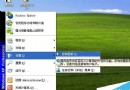
Windows 7 移除 XP 時代 Win+U+U 快速關機,透過建立 shutdown.exe 捷徑並指定熱鍵,可恢復鍵盤一鍵關機習慣。
C:\ProgramData\Microsoft\Windows\Start Menu。shutdown -s -t 0(或 shutdown -s -f -t 0 強制關閉程式)。| 功能 | 指令 |
|---|---|
| 重新開機 | shutdown -r -t 0 |
| 登出 | shutdown -l |
| 鎖定 | rundll32.exe user32.dll,LockWorkStation |
| 休眠 | rundll32.exe powrprof.dll,SetSuspendState |
-f 參數強制關閉應用程式,可能造成資料遺失,平時建議不加 -f 讓系統正常關閉流程運行。Win7 開機卡在 DHCP 畫面無法進入系統?BIOS 關閉網路啟動、設定硬碟為第一啟動序
Win10 Mobile 預覽版偵測不到 SIM 卡?長按音量鍵+電源鍵軟重開機解決
Win8.1 藍屏 0x00000005 反覆發生?進入安全模式執行 CHKDSK /F 修復檔案系統錯誤
Win7 開啟/關閉 Windows 防火牆教學:控制台圖文步驟與網路位置分類設定
製作 USB 開機碟提示「開機磁區未知」的三大原因與解決辦法
Win10 專業版如何開啟 Windows Defender 廣告軟體攔截(PUA 保護)?修改註冊表啟用企業級功能