Windows XP Windows 7 Windows 2003 Windows Vista Windows 綜合教學 Linux 系統教學
Windows 10 Windows 8 Windows 2008 Windows NT Windows Server 電腦軟體教學
您现在的位置: Windows教程網 >> Windows教程 >  >> Windows 綜合教學 >> 關於 Windows

Windows 如何查詢電腦支援的最大記憶體容量?WMIC 指令一鍵查詢

編輯:關於 Windows

想升級記憶體卻不知主機板/作業系統上限?Windows 內建 wmic 指令可直接查詢硬體支援的最大實體記憶體容量(KB),再換算為 GB 即得答案。

查詢步驟

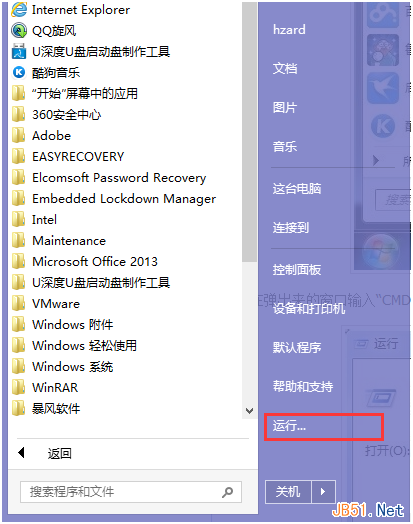
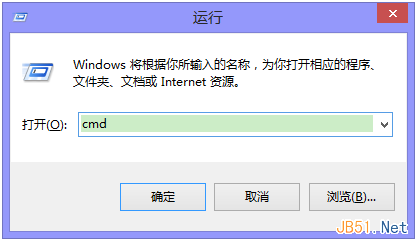
  1. 按 Win + R 輸入 cmd 開啟命令提示字元。
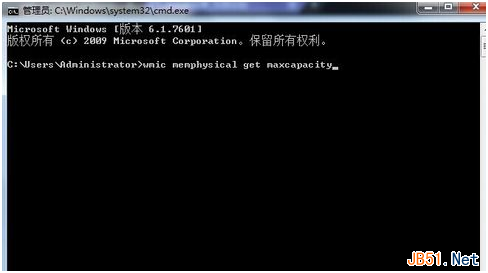
  2. 輸入指令並按 Enter:
    wmic memphysical get maxcapacity
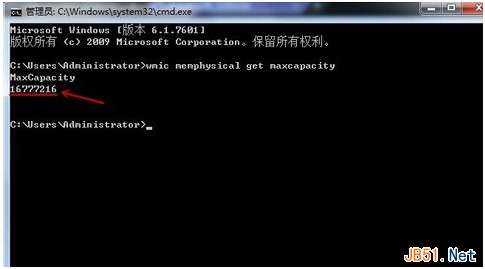
  3. 畫面會顯示一串數字(單位為 KB),例如 16777216。
  4. 換算公式:KB ÷ 1024 ÷ 1024 = GB
    例:16777216 ÷ 1024 ÷ 1024 = 16 GB

執行 cmd

輸入 wmic 指令

查詢結果 16777216 KB

換算為 16 GB

關鍵限制提醒

  • 32 位元作業系統:寻址上限 4 GB,實際可用約 3.25 GB,**無論主機板支援多大均受限於此**。
  • 64 位元作業系統:理論上限極高(TB 級),實際上限取決於主機板晶片組與 BIOS。
  • 筆電多為焊死記憶體或單插槽,**請先查閱官方規格書確認可升級與否**。

替代工具

  • CPU-Z(SPD 分頁查看插槽資訊)
  • 主機板官網支援清單(QVL)
  • Crucial / Kingston 線上升級掃描工具
Copyright © Windows教程網 All Rights Reserved