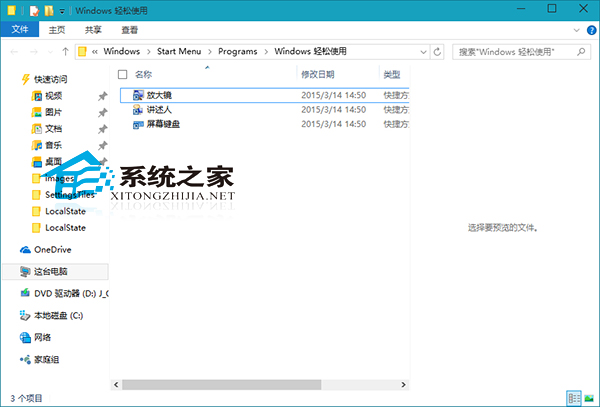
Win10 放大鏡 (Magnify.exe) 實體路徑:C:\Users\用戶名\AppData\Roaming\Microsoft\Windows\Start Menu\Programs\Accessibility\Magnify.exe
Magnify.exe
C:\Users\用戶名\AppData\Roaming\Microsoft\Windows\Start Menu\Programs\Accessibility\Magnify.exe
三種快速啟動方式:
放大鏡支援全螢幕、鏡頭、固定視窗三種模式,Ctrl+Alt+滑鼠滾輪 可快速調整縮放倍率,是視力障礙用戶與細節檢視的利器。
Win7 64位修改使用者帳戶類型:管理員與標準用戶切換
Win7 便箋在哪裡?內建便箋功能完整使用教學:建立、固定、變色、最小化
Win7 強制關機後黑畫面無反應?三大救援法:最後正確配置、啟動修復、USB PE 修復/重灌
Windows 10 徹底關閉 Office 2013/2016 上傳中心 (MSOSYNC) 並移除「裝置與磁碟機」多餘圖示
Win10 圖片縮圖不顯示?一招恢復檔案總管縮圖預覽功能
Windows 8.1 關閉強制驅動程式簽名驗證,安裝未經 WHQL 認證的舊裝置驅動
Win10 Mobile 14977 安裝錯誤 8007007B 怎麼辦?微軟:無解法,需等待下一版本推送
Win8.1 SSD 安裝雙系統報錯 0xc0000225?調整開機順序與隱藏分區標記活動