筆電原裝 2GB 記憶體,加裝 2GB 共 4GB,BIOS 與第三方工具均識別 4GB,但 Win7 「系統」屬性顯示「4.00 GB (2.00 GB 可用)」。罪魁禍首為「系統配置」→「開機」→「進階選項」中勾選了「最大記憶體」並設為 2048 MB。
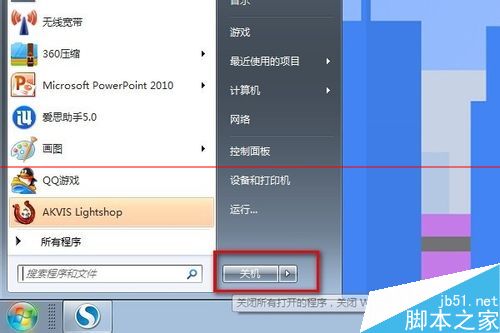
msconfig → 開啟「系統配置」。
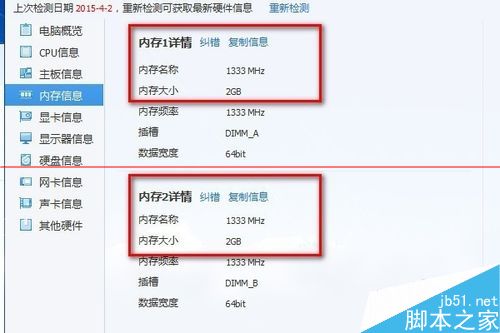
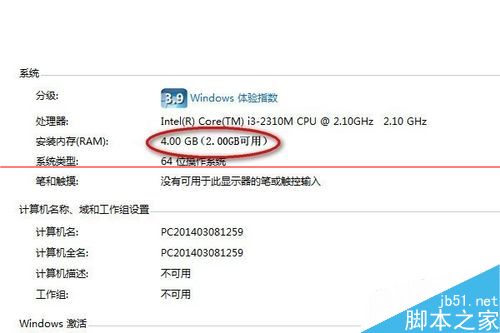
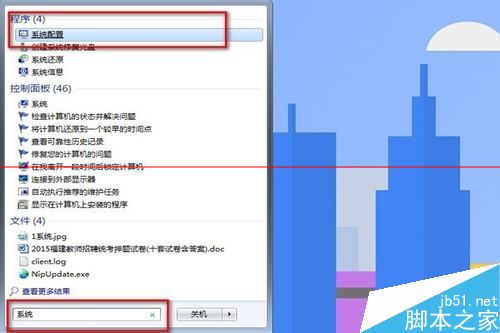
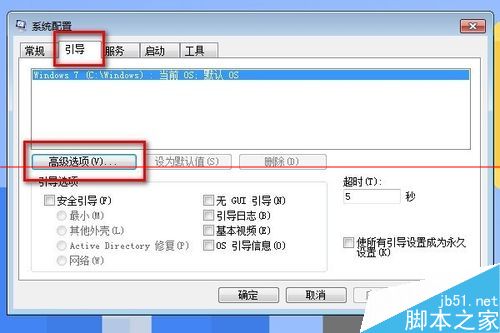
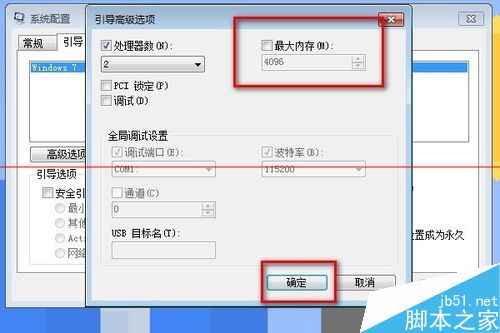
此選項常被優化軟體誤設、或手動測試殘留。加裝記憶體後發現可用容量未變,優先檢查此設定。
Win10 筆電連接小米藍牙音箱/Link 線雙模教學:藍牙配對與 3.5mm 有線直連
Win8 刪除已安裝更新補丁完整教程:釋放磁碟空間、解決更新導致的相容問題
Win7 登入 QQ 錯誤 0x0006000d 解決:重試、結束程序、重開機/重裝 QQ
Win10 禁止 IE11 自動更新安裝新版本:關於 IE 介面取消勾選「自動安裝新版本」
Windows Server 2003 架設 WSUS 服務器完整指南
Windows 10 Mobile 自動更換開始畫面壁紙應用 Dynamic Wallpaper:每日同步必應圖片,支援通用平台