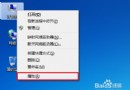
Win10 Mobile 10.0.12534.56 版移除「設定」→「帳戶」→「郵件+帳戶」入口,但仍可透過三大核心應用無縫新增 Microsoft 帳戶:
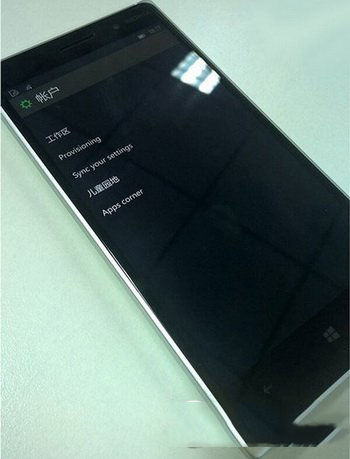
新版 Outlook 郵件、行事曆應用亦整合「新增帳戶」體驗,統一管理郵件/行事曆/連絡人同步。雖設定頁入口隱藏,實際帳戶管理能力未削弱,反而更貼近應用場景。
Win7 徹底關閉自動升級 Win10 提示:本地群組原則禁用「透過 Windows Update 升級至最新版本」
Win7 繁體軟體顯示亂碼?安裝繁體語言包並切換非 Unicode 程式語言即可雙軌並行
Windows 10 Build 10125 中文語言包安裝與亂碼完整解決教學
Edge 瀏覽器過度依賴 IE11?關閉「Microsoft 相容性清單」兩步解決
Win10 Mobile RS1 14267.1004 升級過程截圖記錄:Lumia 950 XL 實測 1.5 小時完成、修復 550 充電 Bug
Windows 7 資源回收筒無法清空?chkdsk 修復檔案系統錯誤解決
Win10 RS1 Build 11082 PowerShell 無回應?註冊表一鍵修復
VMware Player 安裝 Windows 7 虛擬機完整圖文教學 (含 VMware Player 12 下載)