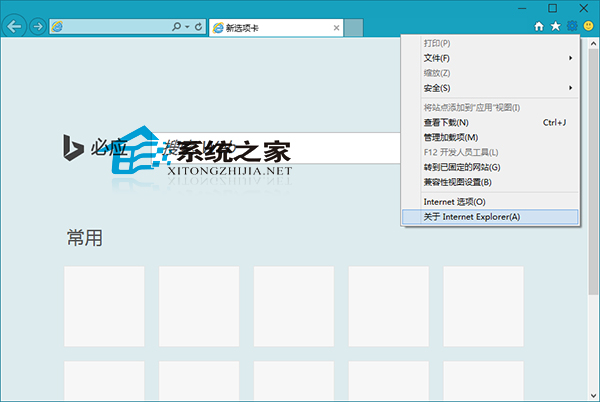
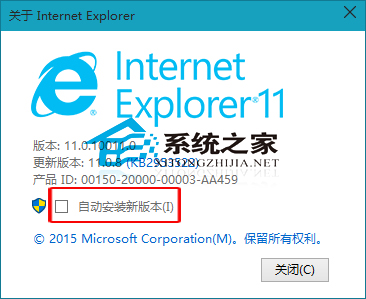
IE11 預設自動升級,新版可能相容性不佳。禁止自動更新:
此設定僅影響 IE11 自身更新機制,不影響 Windows Update 系統級補丁。若需鎖定特定 IE 版本,企業環境建議使用群組原則或 WSUS 管理。
雙系統擴充 C: 槽導致 Win10 引導項消失?EasyBCD 修復引導完整教學
Win8 光驅識別不了光碟?刪除註冊表 UpperFilters/LowerFilters 修復光驅讀取
Windows 10 升級後 Creo、Pro/E 滾輪縮放失效?關閉「懸停非作用中視窗捲動」功能即可恢復
Win7 提示「記憶體不足」原因分析與五大解決方案
善用 Win8 內建 SkyDrive 線上轉換 PDF 為 Word 文件
查看 Windows 8 已安裝應用程式佔用空間大小,釋放系統磁碟
Win8.1 IE11 無法輸入網銀密碼解決方案:相容性檢視設定 (同 52505)
Win10 檔案總管「主頁」加入「程式庫」技巧:修改登錄表兩處 DelegateFolders