Windows XP Windows 7 Windows 2003 Windows Vista Windows 綜合教學 Linux 系統教學
Windows 10 Windows 8 Windows 2008 Windows NT Windows Server 電腦軟體教學
您现在的位置: Windows教程網 >> Windows教程 >  >> Windows 綜合教學 >> 關於 Windows

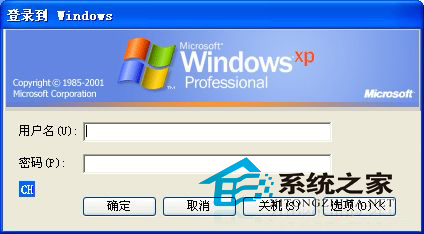
WinXP 登出後重新登入需輸入用戶名?註冊表修改解決自動登入

編輯:關於 Windows

某用戶 WinXP 正常開機無需輸入用戶名,但每次登出後重新登入卻需輸入帳號,煩不勝煩。解決方法如下:

  1. 新建記事本,另存為 .reg 檔,內容如下:
    Windows Registry Editor Version 5.00
    [HKEY_LOCAL_MACHINE\SOFTWARE\Microsoft\Windows NT\CurrentVersion\Winlogon]
    "AutoAdminLogon"="1"
    "ForceAutoLogon"="1"
  2. 將 .reg 檔匯入系統,重新啟動電腦。

透過修改註冊表可快速解決登出後需輸入用戶名的問題。但提醒:修改後密碼會以純文字形式存放於註冊表,存在洩露風險,修改前請三思。

Copyright © Windows教程網 All Rights Reserved