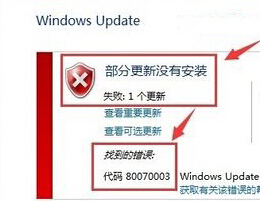
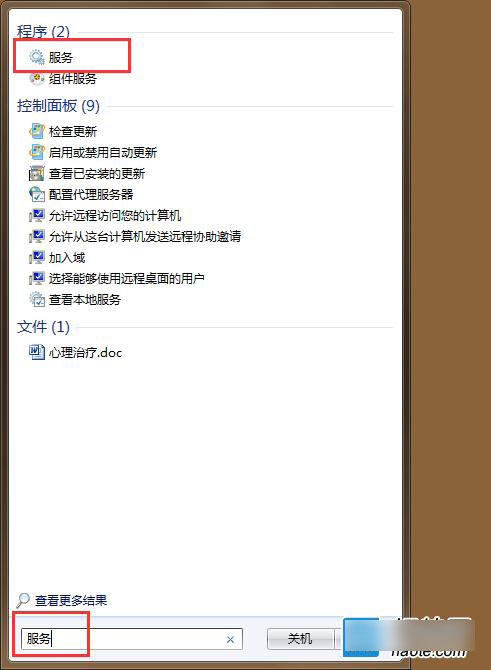
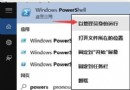
Win10 升級報錯 0x80070003,常因 Windows Update 快取損壞。
0x80070003
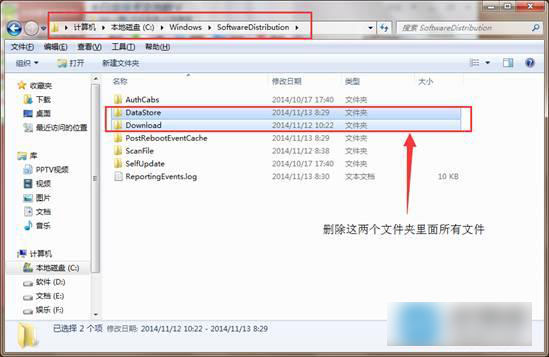
C:\Windows\SoftwareDistribution
DataStore
Download
此法可清除損壞的更新快取,解決多數 0x80070003、0x8024xxxx 類錯誤。
Windows XP 0x0000007B 藍畫面四大成因與對策
Win10 Mobile/桌面預覽版 10586.420 更新內容總整理:穩定性提升與錯誤修復
台式電腦能裝 Win 10 嗎?硬體需求低、體驗優於 Win 7/8
Edge 瀏覽器過度依賴 IE11?關閉「Microsoft 相容性清單」兩步解決
Win 8.1 安裝支付寶數位憑證失敗?關閉 IE 保護模式即可解決
解決 Windows 7「電腦管理」無法開啟的註冊表修復法
Win10 新版計算器深度評測:不只是四則運算,還有科學/程式設計/單位轉換模式
Windows 7 關閉 Windows 防火牆:控制台三步驟完成