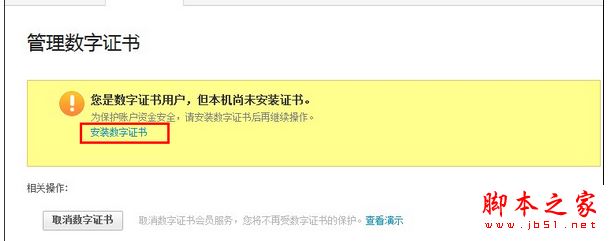
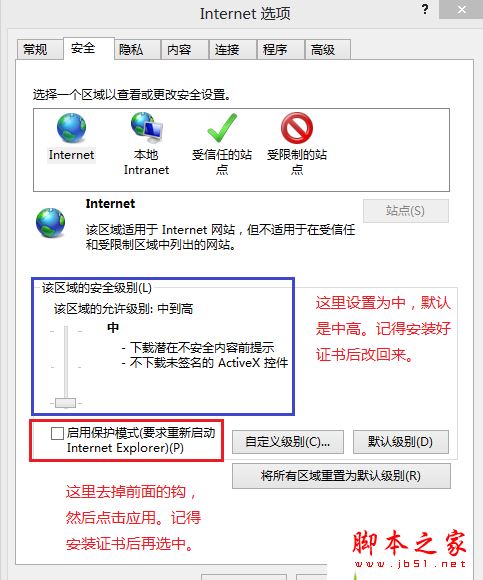
Win 8.1 使用 IE 安裝支付寶數位憑證時常失敗,解決方法如下:
延伸閱讀: Win 10 無法安裝支付寶數位憑證故障原因及解決方法
Win8 IE11 将网页保存到阅读列表:共享魅力栏 → 阅读列表 → 添加,稍后阅读不迷路
Win10 開始按鈕右鍵無反應、超級選單不顯示?修補登錄 IsShortcut 字串值秒修復(附軟媒魔方備份教學)
Win10 首個大型功能更新 TH2 (Threshold 2) 確定 11 月釋出 新增 Edge 擴充功能、彩色標題列、統一右鍵選單
滑鼠失靈怎麼辦?Win7 鍵盤模擬滑鼠操作設定教學
Win10 登錄編輯器新增右鍵跳轉功能:同名鍵值快速切換
Win10 10158 自製中文 ISO 鏡像下載(32位 + 64位)含安裝金鑰與雜湊驗證
Win10 如何將 Edge 設為預設瀏覽器 圖文教學
Win10 TH2 累積更新 KB3116908 安裝教學與失敗排除