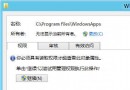
Win 7 64 位元純淨版使用一段時間後,C 槽顯示已用 36GB,但全選檔案僅 22GB,相差 14GB。主因是受系統保護的隱藏檔案 Hiberfil.sys(休眠檔)與 Pagefile.sys(分頁檔)未被計入。
Hiberfil.sys 與 Pagefile.sys 兩大檔案。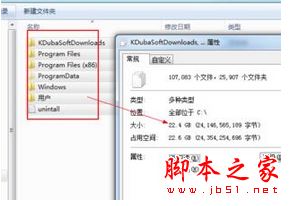
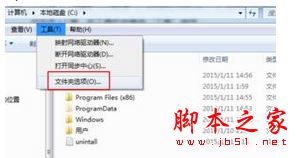
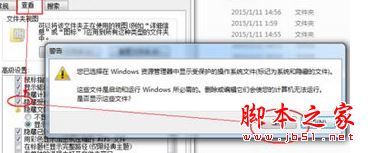
後續可透過關閉休眠功能 (powercfg -h off) 或調整虛擬記憶體大小釋放空間。
wmiprvse.exe 是什麼程序?能否刪除?WMI 提供者主機程序詳解
Win7 Windows 徽標鍵快捷鍵大全:30+ 組合鍵圖表速查
Win 10 記憶體 8GB 與 16GB 差異測試:日常使用 8GB 足夠,16GB 僅在大檔案壓縮有優勢
微軟發布會全息影像頭戴裝置 HoloLens 現場直擊:內建 HPU、無線獨立運算、手勢語音交互、NASA 秘密合作
Win10 問題回報設定灰色無法修改?用群組原則徹底關閉錯誤回報
安裝 Win10 9879 卡在 18% 進度?斷網大法秒解