Win10 10074 桌面預設無「這台電腦」圖示,啟用步驟:
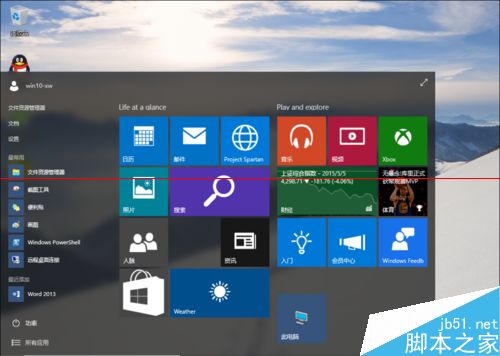
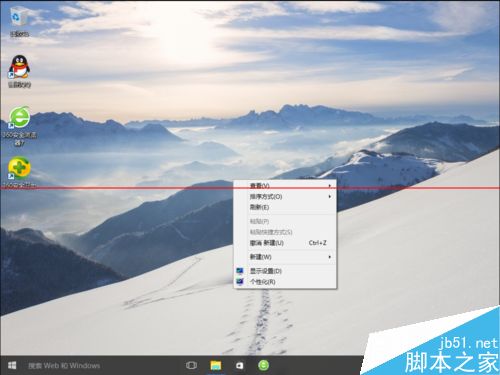
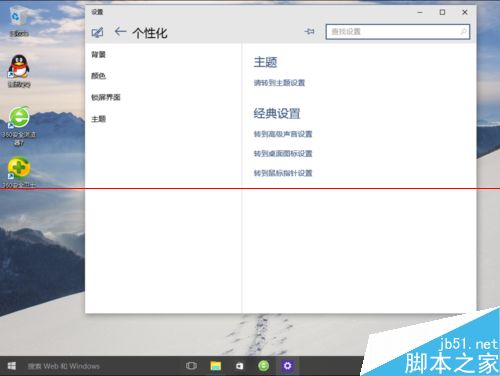
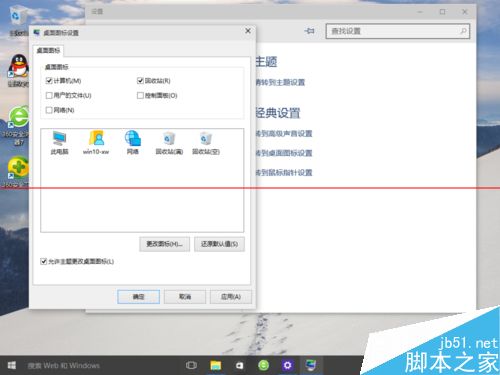
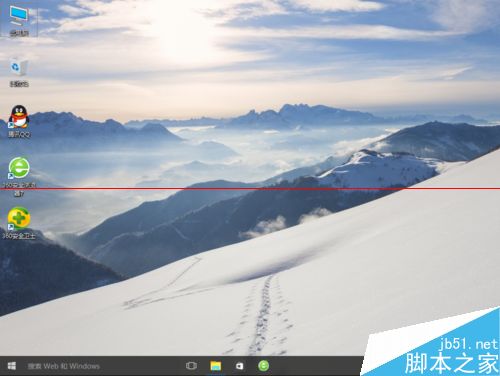
注意:Win10 持續更新中,後續版本操作路徑可能調整,正式版 2015 下半年發布,此方法有效性待驗證。
註冊表刪除 Win7/Win8/Win10 桌面頑固 IE 圖示 (右鍵無刪除選項) — 匯出備份 → 記事本搜尋 → 刪除 NameSpace 子機碼
Windows 10 10162 手機版全新桌布免費下載(9 張含 Hero)
Win10 發布 2 天安裝量近 1000 萬 將破紀錄:OEM 用戶洗白機率高
Build 2016 前瞻:Win10 RedStone 1 (RS1) 新功能與發布時間深度解析
Windows Server 2008 R2 修改密碼原則:透過群組原則管理編輯 Default Domain Policy
Win10 10240 內建 Edge 企業模式:讓舊版網站自動切換 IE 11,Edge 仍為預設瀏覽器