Windows XP Windows 7 Windows 2003 Windows Vista Windows 綜合教學 Linux 系統教學
Windows 10 Windows 8 Windows 2008 Windows NT Windows Server 電腦軟體教學
您现在的位置: Windows教程網 >> Windows教程 >  >> Windows 綜合教學 >> 關於 Windows

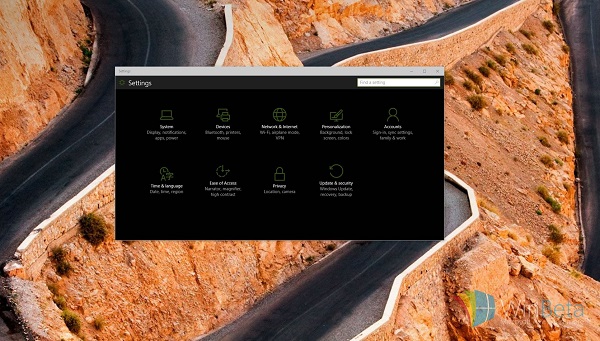
Win10 Build 10074 開啟暗色主題(夜間模式)註冊表教學

編輯:關於 Windows

運行 Windows 10 Insider Preview Build 10074 的使用者,可透過登錄檔啟用隱藏的暗色主題。操作前建議備份系統與登錄檔,以降低風險。

詳細步驟

  1. 按 Win + R → 輸入 RegEdit → 開啟登錄編輯器。
  2. 定位至:
    HKEY_CURRENT_USER\SOFTWARE\Microsoft\Windows\CurrentVersion\Themes\Personalize
  3. 右鍵空白處 → 新增 → DWORD (32 位元) 值 → 命名為 SystemUsesLightTheme。
  4. 雙擊該值,數值資料設為 0(預設即為 0),確定。
  5. 登出/重啟電腦,或重啟 Explorer 進程,暗色主題即生效。

• 若要關閉暗色模式,將 SystemUsesLightTheme 改為 1 即可恢復預設淺色主題。

風險提醒:登錄編輯操作不當可能導致系統不穩,非經驗者請謹慎操作,務必先備份。

Copyright © Windows教程網 All Rights Reserved