Windows XP Windows 7 Windows 2003 Windows Vista Windows 綜合教學 Linux 系統教學
Windows 10 Windows 8 Windows 2008 Windows NT Windows Server 電腦軟體教學
您现在的位置: Windows教程網 >> Windows教程 >  >> Windows 綜合教學 >> 關於 Windows

Windows 10 關閉 Bing 工具列自動更新:重命名 Catroot2 資料夾停止 CryptSvc 服務

編輯:關於 Windows

Win10 安裝後 Bing 工具列頻繁跳出更新干擾,本文教學停用自動更新。
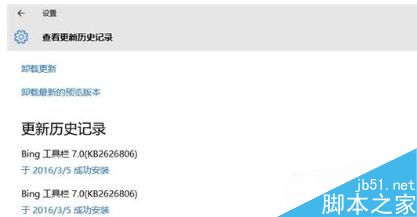
關閉 Bing 工具列自動更新步驟

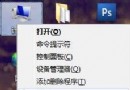
  1. Win+X 開啟命令提示字元 (系統管理員)
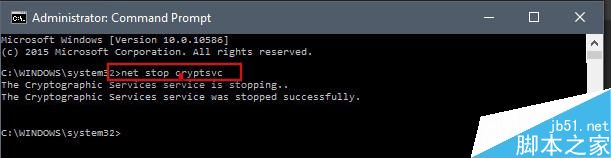
  2. 輸入 net stop cryptsvc 停止服務
  3. 開啟 C:\Windows\System32\Catroot2 資料夾 → 重新命名為 Catroot2_bak (勿刪除,避免其他軟體需求)
  4. CMD 輸入 net start cryptsvc → exit 重啟服務

特別注意:切勿重命名 Catroot (無數字 2) 資料夾,刪除後不會自動重建!Catroot2 會由 Windows 自動重建。

遇到此問題請依教學設定。感謝閱讀!

Copyright © Windows教程網 All Rights Reserved