Windows XP Windows 7 Windows 2003 Windows Vista Windows 綜合教學 Linux 系統教學
Windows 10 Windows 8 Windows 2008 Windows NT Windows Server 電腦軟體教學
您现在的位置: Windows教程網 >> Windows教程 >  >> Windows 綜合教學 >> 關於 Windows

Win10 Mobile 降級 WP8.1 變磚?完整刷機救磚教程(以 Lumia 520T 為例)

編輯:關於 Windows

官方 Windows Phone 復原工具雖已更新,但降級仍可能導致裝置變磚(識別為 QHSUSB_DLOAD)。以下為實測可行的命令列救援流程,關鍵僅三行指令,細節請謹慎操作。

環境與準備

  • 手機:Lumia 520T
  • 電腦:Windows 8.1 64 位(建議統一環境)
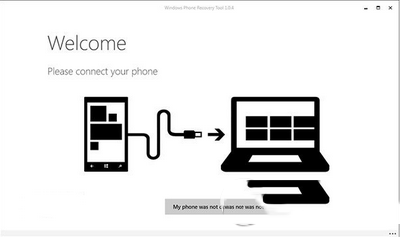
  • 必備檔案:MPRG_HEX.zip、X2_FlashDriver_Emergency_XP、Nokia Care Suite(解決驅動安裝失敗)、Windows Phone Recovery Tool、對應機型 FFU 固件包(放置 C 盤根目錄)
  • C 盤建立 dump 資料夾

操作步驟

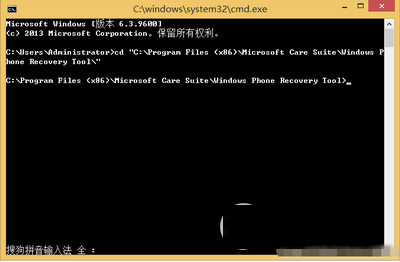
  1. 以管理員身分開啟 CMD,切換目錄:
    cd "C:\Program Files (x86)\Microsoft Care Suite\Windows Phone Recovery Tool\"
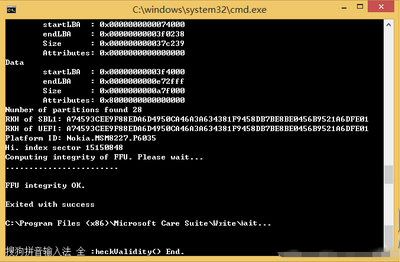
  2. 匯出 GPT 分區表並取得 RKH 碼:
    thor2 -mode ffureader -ffufile "C:\rm-913\RM913_3056.40000.1349.2004_RETAIL_apac_prc_213_04_356607_prd_signed.ffu" -dump_gpt -filedir C:\dump
    (藍色部分替換為實際 FFU 檔名與機型代碼)
  3. 記錄輸出的 RKH 碼。C:\dump 將產生 GPT0.bin、GPT1.bin。
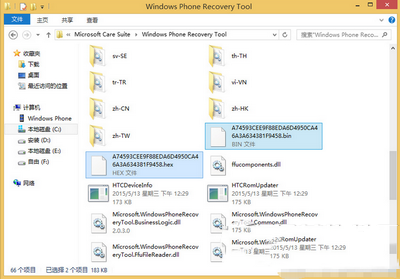
  4. 從 MPRG_HEX.zip 找出同 RKH 碼的 .hex 檔,將 GPT0.bin 重命名為 RKH 碼,連同 .hex 複製至 Recovery Tool 目錄。
  5. 執行緊急刷機:
    thor2 -mode emergency -hexfile RKH碼.hex -mbnfile RKH碼.bin -orig_gpt
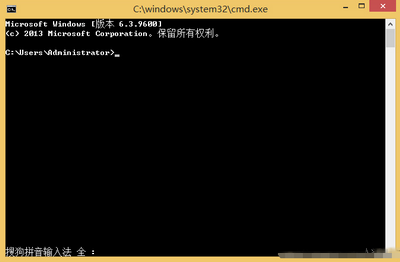
    (替換為實際檔名,可能需重試數次;遇錯誤 85021/85030/85034/84000 可換線、重啟電腦再試)
  6. 成功特徵:CMD 大量滾動文字(約 3 螢幕以上),手機進入紅屏模式。
  7. 紅屏後即可用 Windows Phone Recovery Tool 正常刷回正式版。

提醒:全程勿關閉 CMD,耐心重試,備份重要資料。

Copyright © Windows教程網 All Rights Reserved