網頁編輯/前端常需編輯 HTML,設置 IE 默認編輯器:
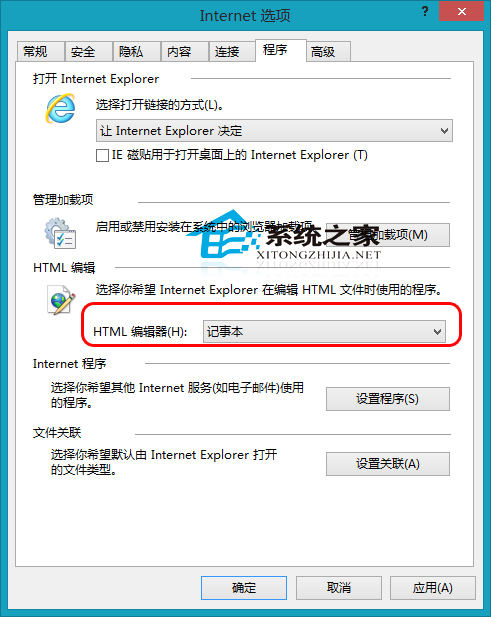
偶爾改 HTML 用記事本足夠,專業開發可選 DW。
Win7 顯卡故障檢測工具與排查流程完整指南(藍屏分析、SMART、記憶體診斷、溫度監控、Prime95、3DMark、替換法)
Win7 無法新增印表機「Windows 無法開啟新增印表機」?啟用 Print Spooler 服務即可解決
Win7 查看與評估 Windows 體驗指數 (WEI) 教學:系統屬性→效能評分完整流程
Win10 正式版相容性問題頻傳:騰訊、360 官方公告暫停升級服務
Win10 Mobile 安裝 Android APK 應用程式不支援功能彙總 (Project Astoria 限制)
Win10 玩 LOL 更新後崩潰閃退?官方崩潰補丁修復教學