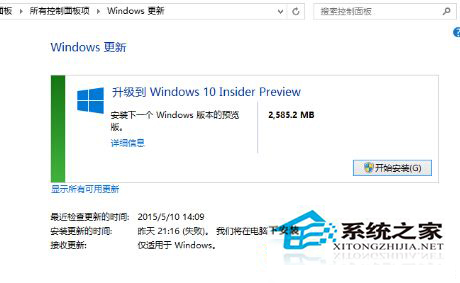
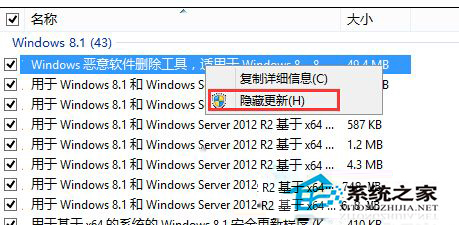
Win8.1 彈出 Win10 預覽版升級提示,不想升的用戶屏蔽法:
Windows 10 Insider Preview
Win10 尚不成熟,先屏蔽靜待正式版。
Win7 清除「執行」視窗歷史記錄兩大法:工作列屬性與 IE 選項
XP 系統 Spoolsv.exe 列印緩衝服務詳解:三大情境停用/修復指南
Win10 10130 應用商店閃退解法:開啟開始選單保持前景、更新商店應用
Win10 預覽版 10162 推送更新:提升穩定性、續航與相容性
Win8 桌面圖示不見了?「桌面圖示設定」一鍵找回電腦、回收站、網路圖示
XP 「網路芳鄰」一片空白?八大檢查項目逐一排查(工作群組、Guest、防火牆、協定、原則)
Win10 工作列搜尋列太佔空間?隱藏、只顯示圖示、完全關閉三種模式切換教學
Win7 修復 .exe 執行檔關聯錯誤?登錄編輯器恢復 exefile shell open command 預設值