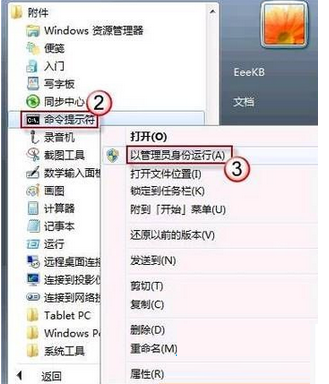
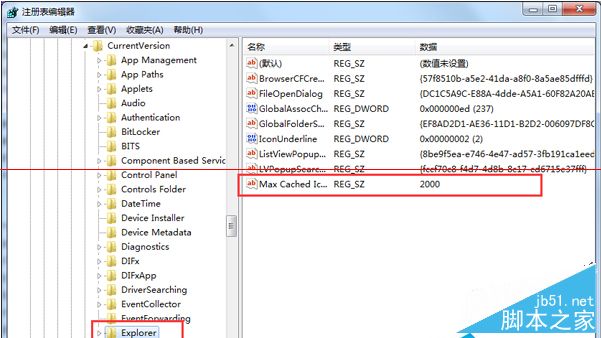
Windows 7 若發生 .exe 檔案雙擊無法執行、以記事本開啟或跳出「開啟方式」對話框,通常是登錄 HKEY_CLASSES_ROOT\exefile\shell\open\command 的預設值被惡意軟體或誤操作修改。修正該值即可恢復正常執行關聯。
regedit 開啟登錄編輯器。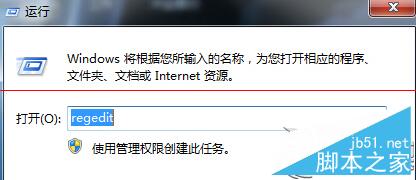
HKEY_CLASSES_ROOT\exefile\shell\open\command"%1" %*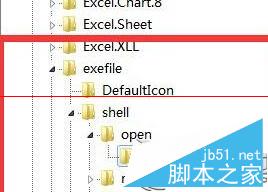
修改前建議匯出該分支備份。若同時發生 .lnk、.bat 等關聯錯誤,可參考同邏輯修復對應機碼。此法適用於 Windows 7/8/10/11。
Win10 快速切換桌面兩大法:工作列按鈕與 Win+D 快捷鍵
Win10 如何安裝卡巴斯基 2015?重新命名安裝檔為 setup.exe 即可解決相容性問題
Win10 開機慢?啟用「快速啟動」一招大幅縮短啟動時間(機械硬碟也能 20 秒內)
Win10 Build 10134 家庭版升級專業版過程曝光(含中文版截圖)
Win10 Build 10036 安裝教學圖解:開始選單左上角「地點」簡化、仍無 Spartan 瀏覽器
Win8 使用 Metro 版解壓縮工具 8 Zip:應用商店安裝、目前僅支援 ZIP 格式