SID (Security Identifier) 為 Windows 安全性識別碼,唯一標識電腦帳戶、群組、用戶。克隆系統或部署 Ghost 映像會導致 SID 重複,造成網域衝突、權限異常。需使用 Sysprep 重新封裝生成新 SID。
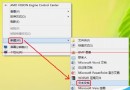
whoami /all 查看當前用戶 SID。HKEY_LOCAL_MACHINE\SOFTWARE\Microsoft\Windows NT\CurrentVersion\ProfileList,左側為 SID,右側 ProfileImagePath 對應用戶名。安裝媒體 Support\Tools\DEPLOY.CAB 中提取 sysprep.exe 與 factory.exe,執行 sysprep.exe 選擇「重新封裝」。
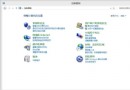
直接執行 C:\Windows\System32\Sysprep\sysprep.exe (或 %windir%\System32\Sysprep\sysprep.exe),選擇「進入系統全新體驗 (OOBE)」並勾選「一般化」→ 確定,系統重啟進入 OOBE 階段生成新 SID。
注意:Sysprep 會移除機器特有資訊 (SID、電腦名稱、驅動程式快取等),部署前請確認驅動程式已整合至映像或支援即插即用。