Windows XP Windows 7 Windows 2003 Windows Vista Windows 綜合教學 Linux 系統教學
Windows 10 Windows 8 Windows 2008 Windows NT Windows Server 電腦軟體教學
您现在的位置: Windows教程網 >> Windows教程 >  >> Windows 綜合教學 >> 關於 Windows

Windows 8 網路連線錯誤代碼 118 解決教學:刷新 DNS、重設 TCP/IP 四步驟

編輯:關於 Windows

Windows 8 瀏覽網頁出現「錯誤代碼 118」,通常為 DNS 快取汙染或 TCP/IP 協定堆疊異常。透過命令提示字元執行四項網路重設指令即可快速修復。

修復指令序列

  1. 按 Win + R 輸入 cmd 開啟命令提示字元(建議以系統管理員身分執行)。
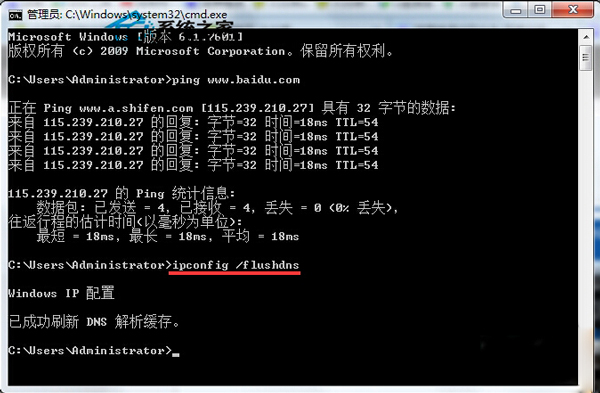
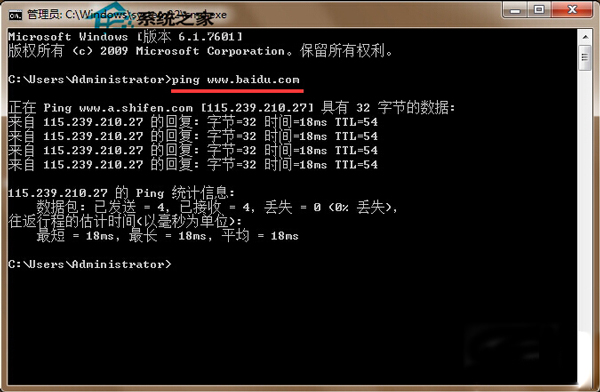
  2. 輸入 ping www.baidu.com 確認網路連通性。
  3. 輸入 ipconfig /flushdns 刷新 DNS 快取。
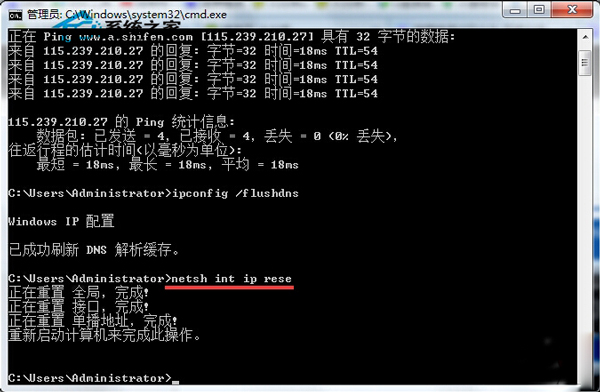
  4. 輸入 netsh int ip reset 重設 TCP/IP 協定堆疊(原文有誤植為 nets hint rese,正確指令為 netsh int ip reset)。
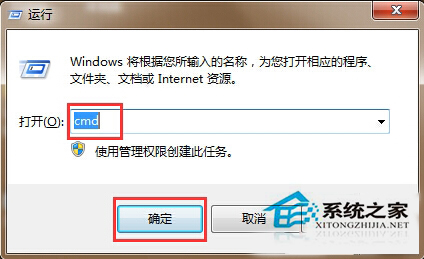
  5. 重新開機生效。
命令提示字元執行 ping ping 測試結果 ipconfig flushdns 執行 netsh int ip reset 執行

補充說明

錯誤 118 為「連線逾時」,常見於 DNS 解析失敗。上述指令組合可解決 90% 以上同類問題。若持續發生,建議檢查路由器 DNS 設定、更換公開 DNS(如 1.1.1.1、8.8.8.8)或更新網卡驅動程式。


Copyright © Windows教程網 All Rights Reserved