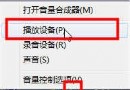
「COM Surrogate 已停止運作」錯誤頻繁彈出,關閉後又重複出現,嚴重干擾使用。此問題多因 Windows 媒體播放器嘗試為缺少解碼器的 AVI 影片產生縮圖,導致 dllhost.exe (COM Surrogate 宿主程序) 崩潰。透過資料執行保護 (DEP) 將其排除即可解決。
C:\Windows\System32\dllhost.exe,點擊「開啟」→ 「確定」層層套用。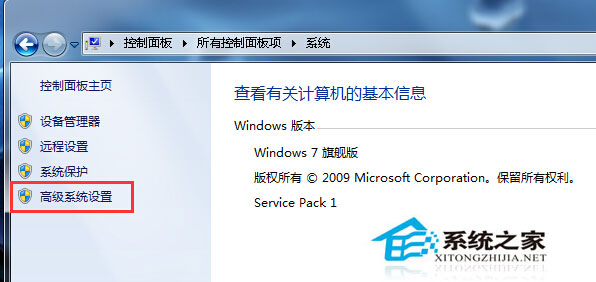
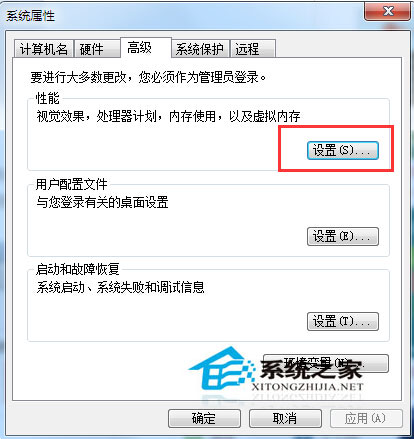
DEP (Data Execution Prevention) 監控程式記憶體使用,防止惡意代碼執行。將 dllhost.exe 排除後,系統不再攔截其記憶體操作,避免因解碼器缺失導致的誤判崩潰。根本解決仍建議安裝完整解碼器套件(如 LAV Filters、K-Lite Codec Pack)。
Windows 史上最全快捷鍵大全:通用、總管、Win鍵、對話框、桌面、輔助功能八大分類
Windows 8 複製同名檔案彈出提醒視窗如何關閉?資料夾選項隱藏合併衝突
Win7 無線 WiFi 連不上?三大常見原因與圖文解決教學
Win10 無法開啟 Premiere Pro CS4?刪除 9.0 設定資料夾即可解決
Win10 正式版未收到 10586 (TH2) 更新推送?清除 Windows Update 快取重新檢查解決
Win10 蘋果裝置驅動消失 (Apple Mobile Device USB Driver)?裝置管理員指定路徑手動更新即可恢復